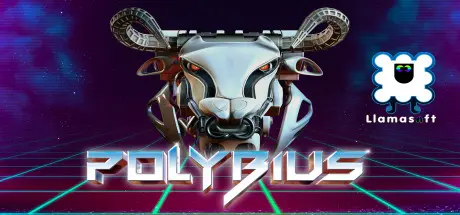
February 7Feb 7 POLYBIUS Game DetailsRelease Name: POLYBIUSGame Version: Build 4394356Release Date: 21 Dec, 2018Publisher: Llamasoft Ltd.Developer: Llamasoft Ltd.Based On: CSF & GoldbergPOLYBIUS Direct Download - Game OverviewPOLYBIUS is a fast, trippy tunnel shooter playable on a normal screen or in VR for the best effect. It features 50 levels of blissful trance shooting action set to a blistering soundtrack. The PS4 version was EDGE Magazine's VR GOTY in 2017, and the PC version of the game was even used as the basis for a NIN music video. So put on your trance trousers, bust out the Oculus if you have one, and strap in for a euphoric ride.Blast, boost and fly through 50 geometrical environments. Hit the boost gates to increase your speed. How fast dare you go? More speed means more points but also more danger!Pick up powerup pills along the way to increase your firepower, become invincible, launch yourself to stratospheric speeds, even slow down time.POLYBIUS is designed to bring you quickly to a euphoric flow state, and to keep you there the whole time you are playing. There are no bosses to spike your progress, and the game will never make you redo sections - progress made is progress kept, always, even if you lose a life. We want you to come out of every game of Polybius, whether or not you've beaten your highscore, smiling and happy because you've enjoyed the act of playing so much.Drop in for a quick blast or settle in for a long trip with Llamasoft's tried and true arcade game modes: Pure (start from the beginning and see how far you can get), Endurance (start from the beginning with a fixed number of lives, no extras are awarded during Endurance games), or Normal.In a Normal Mode game, you can choose to restart from any level you have previously arrived at. Our Restart Best system starts you off with the best-ever lives and score that you've had at that point in any game previously. Over time you can dip in and improve the individual Restart Best stats for any of the levels and gradually build a platform for achieving better and better high scores.The inspiration for POLYBIUS was an old urban legend about a strange, abstract, psychedelic arcade game that was supposedly released for a brief time in the 1980s. According to the legend people who played the game experienced strange and rather unpleasant psychological reactions after becoming addicted to it. There was talk of the CIA and Men in Black. Of course the legendary game has never actually been found but - especially with the advent of VR - we thought it might be fun to make a game inspired by the old legend. Our version is intended only to have positive effects on the minds of its users though!Don't just take our word for it, read for yourself some quotes from PS4 players after getting their hands on POLYBIUS!POLYBIUS Screenshots POLYBIUS TrailerPOLYBIUS System Requirements Minimum RequirementsRecommended Requirements OSWin 8/8.1, Win 10- Processor2.5 GHz- Memory-- GraphicsGTX 960 or AMD equivalent- DirectXVersion 10- Storage1605 MB available space- How to Install POLYBIUSNo Installation Needed: The game is pre-installed. Just download and extract.Extract: Right-click the .zip or .rar file and select "Extract Here" or "Extract to folder".Run: Find Launcher.exe inside the folder and run it.Game Data & SettingsChange Language: Edit the file located at steam_settings/Configs.user.iniImportant NotesTo support the Game Developer, Get It On Steam.🔥DOWNLOAD AREA🔥🔹1.58 GB🔹Select the server you want to download with ZeiLink.Download





Create an account or sign in to comment