



Skip to content
View in the app

A better way to browse. Learn more.

ZeiGames

A full-screen app on your home screen with push notifications, badges and more.

To install this app on iOS and iPadOS
  1. Tap the Share icon in Safari
  2. Scroll the menu and tap Add to Home Screen.
  3. Tap Add in the top-right corner.
To install this app on Android
  1. Tap the 3-dot menu (โ‹ฎ) in the top-right corner of the browser.
  2. Tap Add to Home screen or Install app.
  3. Confirm by tapping Install.

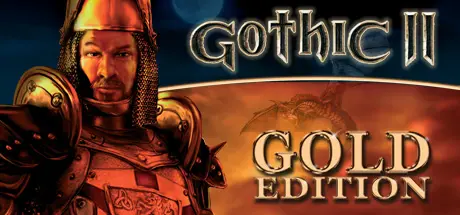
Gothic II: Gold Edition Free Download (Build 10042765)
Featured Replies

header.webp

Game Details

Release Name:ย Gothic II: Gold Edition

Game Version:ย Build 10042765

Release Date: 13 Jan, 2010

Publisher: THQ Nordic

Developer: Piranha Bytes

Based On:ย CSF

Gothic II: Gold Edition Direct Download - Game Review

Gothic II: Gold Edition brings together the excitement of Gothic II and the add-on Night of the Raven to your fingertips!

You have torn down the magical barrier and released the prisoners of the Mine Valley. Now the former criminals of the forests and mountains are causing trouble around the capital of Khorinis. The town militia is powerless due to their low amount of forceโ€“outside of the town, everyone is helpless against the attacks of the bandits.

  • Over 100 thrilling missions on the different settings

  • A detailed, lively game environment with over 500 individual characters (each with their own daily routine)

  • The player determines the course of the story himself

  • Fight with more than 200 different weapons and magical spells

  • Over 12 hours of complete, English voice output

  • Includes the Night of the Raven add-on


Game Screenshots

screenshot screenshot screenshot screenshot


Game Trailer


System Requirements

Minimum Requirements

Recommended Requirements

OS

Windows XP/2000/ME/98/Vista/7/8/10

-

Processor

Intel Pentium III 700 MHz

-

Memory

256 MB RAM

-

Graphics

3D graphics card with 32 MB Ram

-

DirectX

Version 8.1

-

Storage

5 GB available space

-


Installation Guide

  1. No Installation Needed: The game is pre-installed. Just download and extract.

  2. Extract: Right-click the .zip or .rar file and select "Extract Here" or "Extract to folder".

  3. Run: Find system/Gothic2.exe inside the folder and run it.

Game Data & Settings

  • Change Language: Move the language files on LANGUAGES folder to main game folder.

  • Save Data Location: /Saves/

Important Notes

๐Ÿ”ฅDOWNLOAD AREA๐Ÿ”ฅ

๐Ÿ”น7.77 GB๐Ÿ”น

Select the server you want to download with ZeiLink.

ALL Languages Included.

Download

  • Views 967
  • Created
  • Last Reply

Posted Images

Create an account or sign in to comment

Recently Browsing 0

  • No registered users viewing this page.

Account

Navigation

Search

Search

๐Ÿ”Ž Search Tip
For exact results, search using "game name" .
Without quotes, results may include unrelated titles.

Configure browser push notifications

Chrome (Android)
  1. Tap the lock icon next to the address bar.
  2. Tap Permissions โ†’ Notifications.
  3. Adjust your preference.
Chrome (Desktop)
  1. Click the padlock icon in the address bar.
  2. Select Site settings.
  3. Find Notifications and adjust your preference.
