



Skip to content
View in the app

A better way to browse. Learn more.

ZeiGames

A full-screen app on your home screen with push notifications, badges and more.

To install this app on iOS and iPadOS
  1. Tap the Share icon in Safari
  2. Scroll the menu and tap Add to Home Screen.
  3. Tap Add in the top-right corner.
To install this app on Android
  1. Tap the 3-dot menu (⋮) in the top-right corner of the browser.
  2. Tap Add to Home screen or Install app.
  3. Confirm by tapping Install.

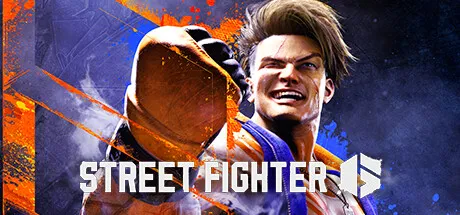
Street Fighter 6 Free Download (Offline Activation)
Featured Replies

header.webp

Game Details

Release Name: Street Fighter 6

Game Version: v2.0201.000 | Build 22577077

Genre: 2D Fighter, Fighting, Arcade, Character Customization

Publisher: CAPCOM Co., Ltd.

Platform: PC

Based On: Anti Denuvo Sanctuary CSF

Download Street Fighter 6

Here comes Capcom’s newest challenger! Street Fighter 6 launches worldwide on June 2nd, 2023 and represents the next evolution of the series.

Powered by Capcom’s proprietary RE ENGINE, the Street Fighter 6 experience spans across three distinct game modes featuring World Tour, Fighting Ground and Battle Hub.

Diverse Roster of 18 Fighters
Play legendary masters and new fan favorites like Ryu, Chun-Li, Luke, Jamie, Kimberly and more in this latest edition with each character featuring striking new redesigns and exhilarating cinematic specials.

Dominate the Fighting Ground
Street Fighter 6 offers a highly evolved combat system with three control types - Classic, Modern and Dynamic - allowing you to quickly play to your skill level.
The new Real Time Commentary Feature adds all the hype of a competitive match as well as easy-to-understand explanations about your gameplay.
The Drive Gauge is a new system to manage your resources. Use it wisely in order to claim victory.


Explore the Streets in World Tour
Discover the meaning of strength in World Tour, an immersive, single-player story mode. Take your avatar and explore Metro City and beyond. Meet Masters who will take you under their wing and teach you their style and techniques.


Seek Rivals in the Battle Hub
The Battle Hub represents a core mode of Street Fighter 6 where players can gather and communicate, and become stronger together. Use the avatar you create in World Tour to check out cabinets on the Battle Hub floor and play against other players, or head over to the Game Center to enjoy some of Capcom's classic arcade games.


Your path to becoming a World Warrior starts here.


Screenshots

ss_ed46aaa9ed94dd6f35a703070f8df16cee5aess_449d488d2edbe785c4e6010fede1c3b8dae8ess_2cfc2472e7ff99fd354935135d91e36e81951ss_10191fb5ab48cee99d7a43e636db9202938f1


Trailer


System Requirements

OS

Windows 10

Processor

Intel Core i5-7500 / AMD Ryzen 3 1200

Memory

8 GB

Graphics

GTX1060 (VRAM 6GB) / Radeon RX 580 (VRAM 4GB)

DirectX

Version 12

Storage

60 GB


Installation Guide

Step 1
  1. Download the Game Files and Join the Discord Server.

  2. Join the Anti-Denuvo Sanctuary Discord server using this link: [Click Here].

Step 2
  • New members will be assigned the Newbie role.

  • Wait for 12 hours, and then you can take the quiz (which becomes available after the 12-hour period) to gain access to the request channels.

Step 3
  • To avoid being banned and to understand how everything works, make sure to read the following channels:

    • #Rules

    • #Guide

    • #F.A.Q.

  • For a list of useful commands, type !help inside the server. This will show you a list of useful commands that you can use. It also includes video tutorials on how activation works and other helpful guides.

Step 4
  • As mentioned in Step 1, download the Steam clean files.

  • If you need additional tools, check the #Resources channel.

  • Important: Always double-check the game version. Using outdated versions can cause issues. Check SteamDB for the latest version.

  • If you’re on Linux, notify the staff to get a role which gives you access to the #Linux-Deck channel. Refer to the #Linux-Guides channel for instructions and consult the team first before submitting a game request.

Step 5

  • Take ONE screenshot showing the following:

    • The contents of the game folder (just the root directory).

    • The Properties of the game folder.

    • Windows Update Blocker (WUB) showing the RED SHIELD.

Step 6
  • Self-Serve : Request games for free here.

  • New-Donator : This category applies only to newly released games. After about 1–2 weeks, those games will move to #Self-Serve, where everyone can access them. Donating is optional and provides early access to new releases.

    • Be sure to carefully read the instructions inside each ticket. There are time limits for each step, so follow through. If you’re unsure, use the “Need Help” button available inside the ticket, and the team will guide you through the process.

🔥DOWNLOAD AREA🔥

🔹97.70 GB🔹

Select a server to download the game.

Ranoz | 1fichier | Rootz | Akirabox | Vikingfile | ALL Links

  • Views 1.5k
  • Created
  • Last Reply

Posted Images

Create an account or sign in to comment

Recently Browsing 0

  • No registered users viewing this page.

Account

Navigation

Search

Search

🔎 Search Tip
For exact results, search using "game name" .
Without quotes, results may include unrelated titles.

Configure browser push notifications

Chrome (Android)
  1. Tap the lock icon next to the address bar.
  2. Tap Permissions → Notifications.
  3. Adjust your preference.
Chrome (Desktop)
  1. Click the padlock icon in the address bar.
  2. Select Site settings.
  3. Find Notifications and adjust your preference.
