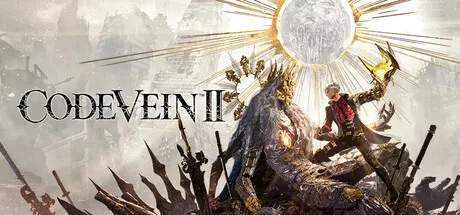
February 3Feb 3 Game DetailsRelease Name: CODE VEIN IIGame Version: Build 22605403Genre: Action, RPG, Souls-like, Action RPG, AnimePublisher: Bandai Namco Entertainment Inc.Based On: Anti Denuvo Sanctuary CSFDownload CODE VEIN IIIn a future world where humans and Revenants coexist...Due to the sudden appearance of the Luna Rapacis, Revenants have transformed into mindless monsters called Horrors. As a Revenant hunter, the player shall halt the world's inevitable collapse by traveling to the past with a girl called Lou who possesses the power to manipulate time.An epic adventure awaits, where you and your chosen partners explore a post-apocalyptic world, face fierce battles against powerful enemies, and uncover an epic story that transcends time.• A Tale Across TimeEmbark on a journey that spans both the present and the past as you search for clues to prevent the world’s destruction. Alter the fates of key Revenant characters you encounter in the past, while uncovering lost histories and the hidden truths of the world.• Intense and Satisfying CombatDive into adrenaline-fueled battles where reading enemy moves and mastering your arsenal are key to survival. Unleash powerful skills, adapt on the fly, and conquer relentless foes in fights that deliver both intensity and triumph.• Unique Battle SystemExperience Code Vein II’s unique gameplay mechanic, where the player drains and acquires blood from enemies to unleash a variety of skills. With the series' new build system, you can freely customize weapons and skills to suit your own battle styles.• Powerful Partner CharactersExplore the world with trusted and powerful allies who can fight alongside you or enhance your abilities. Each partner brings unique abilities and deep connections that shape your journey.ScreenshotsTrailerSystem RequirementsOSWindows 10ProcessorIntel Core i5-9600K /AMD Ryzen 5 3600Memory16 GBGraphicsNvidia GeForce GTX 1660 Super / AMD Radeon RX 5700 / Intel Arc B570DirectXVersion 12Storage70 GBInstallation GuideStep 1Download the Game Files and Join the Discord Server.Join the Anti-Denuvo Sanctuary Discord server using this link: [Click Here].Step 2New members will be assigned the Newbie role.Wait for 12 hours, and then you can take the quiz (which becomes available after the 12-hour period) to gain access to the request channels.Step 3To avoid being banned and to understand how everything works, make sure to read the following channels:#Rules#Guide#F.A.Q.For a list of useful commands, type !help inside the server. This will show you a list of useful commands that you can use. It also includes video tutorials on how activation works and other helpful guides.Step 4As mentioned in Step 1, download the Steam clean files.If you need additional tools, check the #Resources channel.Important: Always double-check the game version. Using outdated versions can cause issues. Check SteamDB for the latest version.If you’re on Linux, notify the staff to get a role which gives you access to the #Linux-Deck channel. Refer to the #Linux-Guides channel for instructions and consult the team first before submitting a game request.Step 5Take ONE screenshot showing the following:The contents of the game folder (just the root directory).The Properties of the game folder.Windows Update Blocker (WUB) showing the RED SHIELD.Step 6Self-Serve : Request games for free here.New-Donator : This category applies only to newly released games. After about 1–2 weeks, those games will move to #Self-Serve, where everyone can access them. Donating is optional and provides early access to new releases.Be sure to carefully read the instructions inside each ticket. There are time limits for each step, so follow through. If you’re unsure, use the “Need Help” button available inside the ticket, and the team will guide you through the process.🔥DOWNLOAD AREA🔥🔹62.83 GB🔹Select the server you want to download with ZeiLink.Download





Create an account or sign in to comment