



Skip to content
View in the app

A better way to browse. Learn more.

ZeiGames

A full-screen app on your home screen with push notifications, badges and more.

To install this app on iOS and iPadOS
  1. Tap the Share icon in Safari
  2. Scroll the menu and tap Add to Home Screen.
  3. Tap Add in the top-right corner.
To install this app on Android
  1. Tap the 3-dot menu (โ‹ฎ) in the top-right corner of the browser.
  2. Tap Add to Home screen or Install app.
  3. Confirm by tapping Install.

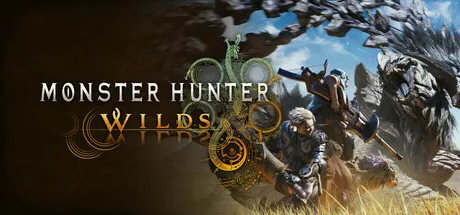
Monster Hunter Wilds Free Download (Offline Activation)
Featured Replies

header.webp

Game Details

Release Name:ย Monster Hunter Wilds

Game Version:ย Build 22195748

Genre: Hunting, Action

Publisher: CAPCOM Co., Ltd.

Platform: PC

Based On:ย Anti Denuvo Sanctuary CSF

Download Monster Hunter Wilds

The unbridled force of nature runs wild and relentless, with environments transforming drastically from one moment to the next.

This is a story of monsters and humans and their struggles to live in harmony in a world of duality.
Fulfill your duty as a Hunter by tracking and defeating powerful monsters and forging strong new weapons and armor from the materials you harvest from your hunt as you uncover the connection between the people of the Forbidden Lands and the locales they inhabit.
The ultimate hunting experience awaits you in Monster Hunter Wilds.

Story
A few years past, a young boy named Nata was rescued at the border of the Forbidden Lands, an unexplored region the guild has yet to survey.
After hearing the boyโ€™s tale of his lone escape from a mysterious monster that attacked his village, the Guild organized an expedition into the Forbidden Lands to investigate.

A Living World
Environments within the Forbidden Lands can drastically change as the weather shifts constantly and suddenly. During the harsh Fallow and perilous Inclemency periods, ravenous monsters will venture out to hunt in packs, yet during the Plenty periods, wildlife is rich and abundant.

Monsters
The monsters who inhabit these environments have been forced to adapt to the dynamic changes that occur, using their unique characteristics to survive and thrive.

Hunting
As the world around them changes, so must the hunters and their tactics. Not only will hunters have a multitude of weapons and armor to choose from, but the art of the hunt itself has evolved as hunters learn to anticipate monstersโ€™ behavior and familiarize themselves with their environment.

Characters
From hunting partners to fellow expedition members, youโ€™ll encounter plenty of those who will support you on your journey.


Screenshots

ss_31b5597fecf2d9a2904bc9bbf8011aacb1814ss_c722e74607ffda9a1472093ccc934f1bdde10ss_d439e321350c004c4d866c248019aefdc6a50ss_9245c1ede8c3fc2cd65e4890a74a01ef50b72


Trailer


System Requirements

OS

Windowsยฎ10 (64-bit Required)/Windowsยฎ11 (64-bit Required)

Processor

Intelยฎ Coreโ„ข i5-10400 or Intelยฎ Coreโ„ข i3-12100 or AMD Ryzenโ„ข 5 3600

Memory

16 GB

Graphics

NVIDIAยฎ GeForceยฎ GTX 1660(VRAM 6GB) or AMD Radeonโ„ข RX 5500 XT(VRAM 8GB)

DirectX

Version 12

Storage

75 GB


Installation Guide

Step 1
  1. Download the Game Files and Join the Discord Server.

  2. Join the Anti-Denuvo Sanctuary Discord server using this link:ย [Click Here].

Step 2
  • New members will be assigned theย Newbieย role.

  • Wait forย 12 hours, and then you can take the quiz (which becomes available after the 12-hour period) to gain access to the request channels.

Step 3
  • To avoid being banned and to understand how everything works, make sure to read the following channels:

    • #Rules

    • #Guide

    • #F.A.Q.

  • For a list of useful commands, typeย !helpย inside the server. This will show you a list of useful commands that you can use. It also includes video tutorials on how activation works and other helpful guides.

Step 4
  • As mentioned in Step 1, download theย Steam clean files.

  • If you need additional tools, check theย #Resourcesย channel.

  • Important:ย Always double-check the game version. Using outdated versions can cause issues. Checkย SteamDBย for the latest version.

  • If youโ€™re onย Linux, notify the staff to get a role which gives you access to theย #Linux-Deckย channel. Refer to theย #Linux-Guidesย channel for instructions and consult the team first before submitting a game request.

Step 5

  • Takeย ONE screenshotย showing the following:

    • The contents of theย game folderย (just the root directory).

    • Theย Propertiesย of the game folder.

    • Windows Update Blocker (WUB)ย showing theย RED SHIELD.

Step 6
  • Self-Serveย :ย Request games for free here.

  • New-Donatorย :ย This category applies only to newly released games. After aboutย 1โ€“2 weeks, those games will move toย #Self-Serve, where everyone can access them. Donating is optional and provides early access to new releases.

    • Be sure to carefully read the instructions inside each ticket. There are time limits for each step, so follow through. If youโ€™re unsure, use the โ€œNeed Helpโ€ button available inside the ticket, and the team will guide you through the process.

๐Ÿ”ฅDOWNLOAD AREA๐Ÿ”ฅ

๐Ÿ”น118.66 GB๐Ÿ”น

Select a server to download the game.

Rootzย |ย Ranozย |ย 1fichierย |ย Akiraboxย |ย Vikingfileย |ย ALL Links

  • Views 1.3k
  • Created
  • Last Reply

Posted Images

Create an account or sign in to comment

Recently Browsing 0

  • No registered users viewing this page.

Account

Navigation

Search

Search

๐Ÿ”Ž Search Tip
For exact results, search using "game name" .
Without quotes, results may include unrelated titles.

Configure browser push notifications

Chrome (Android)
  1. Tap the lock icon next to the address bar.
  2. Tap Permissions โ†’ Notifications.
  3. Adjust your preference.
Chrome (Desktop)
  1. Click the padlock icon in the address bar.
  2. Select Site settings.
  3. Find Notifications and adjust your preference.
