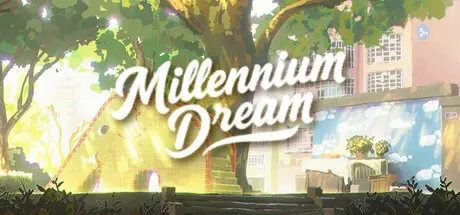
February 2Feb 2 Millennium Dream Game DetailsRelease Name: Millennium DreamGame Version: v1.0.4.1 | Build 21729899Release Date: 27 Jan, 2026Publisher: LucidDreamLabDeveloper: LucidDreamLabBased On: CSF & GoldbergMillennium Dream Direct Download - Game OverviewTake a nap in your bed on a lazy, sun-drenched afternoon; wander through the pedestrian street with its faint, damp scent—the one you used to walk with your mother after school; or return to an empty campus, the place where you once "battled" day and night.There are no clichéd jump scares or task lists here—only those fragments of old times that were once mundane but are now nowhere to be found.Millennium Dream Screenshots Millennium Dream TrailerMillennium Dream System Requirements Minimum RequirementsRecommended Requirements OSWindows 10 or newerWindows 10 or newer ProcessorIntel i5 or AMD Ryzen 5 from around 2016 or laterIntel i5 or AMD Ryzen 7 from 2018 or later Memory16 GB RAM16 GB RAM GraphicsNVIDIA GTX 1660 or AMD Radeon RX 5500 XT or newerNVIDIA GeForce RTX 3070 or AMD Radeon RX 6800 XT or newer DirectXVersion 12Version 12 Storage30 GB available space30 GB available space How to Install Millennium DreamNo Installation Needed: The game is pre-installed. Just download and extract.Extract: Right-click the .zip or .rar file and select "Extract Here" or "Extract to folder".Run: Find MillenniumDream.exe inside the folder and run it.Game Data & SettingsChange Language: Edit the file located at steam_settings/Configs.user.iniSave Data Location: %USERPROFILE%/AppData/Local/MillenniumDream/Saved/SaveGamesImportant NotesTo support the Game Developer, Get It On Steam.🔥DOWNLOAD AREA🔥🔹24.38 GB🔹Select the server you want to download with ZeiLink.Download





Create an account or sign in to comment