



Skip to content
View in the app

A better way to browse. Learn more.

ZeiGames

A full-screen app on your home screen with push notifications, badges and more.

To install this app on iOS and iPadOS
  1. Tap the Share icon in Safari
  2. Scroll the menu and tap Add to Home Screen.
  3. Tap Add in the top-right corner.
To install this app on Android
  1. Tap the 3-dot menu (โ‹ฎ) in the top-right corner of the browser.
  2. Tap Add to Home screen or Install app.
  3. Confirm by tapping Install.

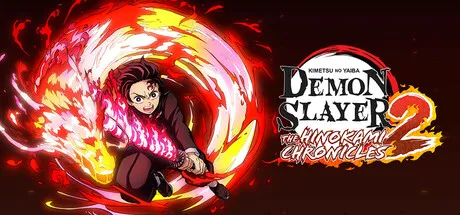
Demon Slayer -Kimetsu no Yaiba- The Hinokami Chronicles 2 Free Download (Offline Activation)
Featured Replies

header.webp

Game Details

Release Name:ย Demon Slayer -Kimetsu no Yaiba- The Hinokami Chronicles 2

Game Version:ย v1.61 | Build 22175057

Genre: Anime, 3D Fighter, Action, Adventure

Publisher: SEGA

Platform: PC

Based On:ย Anti Denuvo Sanctuary CSF

Download Demon Slayer -Kimetsu no Yaiba- The Hinokami Chronicles 2

Destroy demons with the power of forged bonds! Tanjiro Kamado's battle will once again unfold...


- Single Player: Story Mode - Play as Tanjiro and relive the Entertainment District Arc, Swordsmith Village Arc, and Hashira Training Arc from the Demon Slayer: Kimetsu no Yaiba anime. Battle Upper Rank demons with your allies!


- VS Mode: The Hashira unite! The game features over 40 characters, including the nine Hashira, the highest-ranking swordsmen of the Demon Slayer Corps! New elements, such as Dual Ultimates and Gear, have been added. Take on new challenges both online and offline!


Standard Edition Content:
- Demon Slayer -Kimetsu no Yaiba- The Hinokami Chronicles 2 Main Game
- Character Unlock Keys: Academy Rengoku and Academy Uzui

Bonus for linking save data:
The following bonuses will be available for players with save data from Demon Slayer -Kimetsu no Yaiba- The Hinokami Chronicles or Demon Slayer -Kimetsu no Yaiba- Sweep The Board!
- Bonus for Demon Slayer -Kimetsu no Yaiba- The Hinokami Chronicles save data:
Character Unlock Keys: Academy Tanjiro, Academy Nezuko, Academy Zenitsu, Academy Inosuke, Academy Giyu, Academy Shinobu
- Bonus for "Sweep The Board!" save data:
Character Unlock Keys: Hinatsuru, Makio, Suma
Battle Attire: Hinatsuru, Makio, Suma Kimono (Meal Prep)

*Character Unlock Keys are bonuses that allow you to play the specified character in VS Mode at the very start.
*Battle Attire can be used in VS Mode.
*VS Mode System Voices can only be set in VS Mode settings. (Ex: "Fight!", "That's enough!")
*Bonuses for linking save data are only applicable for games on the same platform.
*The latest patch must be installed in order to use online features.
*Contents and specifications are subject to change without notice.
*The digital version bonuses are permanent.
*Bonuses may be distributed at a later date.
*Korean subtitles are only available for purchases made in Korea.
*Products purchased in regions outside of Korea feature subtitles in the following languages: Japanese, English, French, Italian, German, Spanish, Simplified Chinese, Traditional Chinese
*The character depictions used in the store are created by CyberConnect2, the game developer, based on the 3D models in the game.


Screenshots

ss_65bda7a462256287baf41fe28c42268ad2e38ss_4a2fec226d07f5969a036267cb6b44119d5bfss_ad41674c90dc638a02ff3a0d82ad69f64cf4ass_3fa9a6fbfa3a6370b7fd1b861b1fa6f0e2509


Trailer


System Requirements

OS

Windows 10

Processor

Intel Core i5-3470 or AMD Ryzen 3 1200

Memory

6 GB

Graphics

NVIDIA GeForce GT 640, 2 GB or AMD Radeon HD 7950, 3 GB

DirectX

Version 11

Storage

30 GB


Installation Guide

Step 1
  1. Download the Game Files and Join the Discord Server.

  2. Join the Anti-Denuvo Sanctuary Discord server using this link: [Click Here].

Step 2
  • New members will be assigned the Newbie role.

  • Wait for 12 hours, and then you can take the quiz (which becomes available after the 12-hour period) to gain access to the request channels.

Step 3
  • To avoid being banned and to understand how everything works, make sure to read the following channels:

    • #Rules

    • #Guide

    • #F.A.Q.

  • For a list of useful commands, type !help inside the server. This will show you a list of useful commands that you can use. It also includes video tutorials on how activation works and other helpful guides.

Step 4
  • As mentioned in Step 1, download the Steam clean files.

  • If you need additional tools, check the #Resources channel.

  • Important: Always double-check the game version. Using outdated versions can cause issues. Check SteamDB for the latest version.

  • If youโ€™re on Linux, notify the staff to get a role which gives you access to the #Linux-Deck channel. Refer to the #Linux-Guides channel for instructions and consult the team first before submitting a game request.

Step 5

  • Take ONE screenshot showing the following:

    • The contents of the game folder (just the root directory).

    • The Properties of the game folder.

    • Windows Update Blocker (WUB) showing the RED SHIELD.

Step 6
  • Self-Serve : Request games for free here.

  • New-Donator : This category applies only to newly released games. After about 1โ€“2 weeks, those games will move to #Self-Serve, where everyone can access them. Donating is optional and provides early access to new releases.

    • Be sure to carefully read the instructions inside each ticket. There are time limits for each step, so follow through. If youโ€™re unsure, use the โ€œNeed Helpโ€ button available inside the ticket, and the team will guide you through the process.

๐Ÿ”ฅDOWNLOAD AREA๐Ÿ”ฅ

๐Ÿ”น24.93 GB๐Ÿ”น

Select a server to download the game.

Rootz | Ranoz | Filemirage | 1fichier | Akirabox | Vikingfile | ALL Links

  • 2 weeks later...
  • Replies 1
  • Views 1.6k
  • Created
  • Last Reply

Top Posters In This Topic

Posted Images

Is there a way to re-upload this game so that it's playable with Elfguard, like with Resident Evil 9 or Avatar?

its finish iam on denuvo sever thank you

Edited by kevin9991

Create an account or sign in to comment

Recently Browsing 0

  • No registered users viewing this page.

Account

Navigation

Search

Search

๐Ÿ”Ž Search Tip
For exact results, search using "game name" .
Without quotes, results may include unrelated titles.

Configure browser push notifications

Chrome (Android)
  1. Tap the lock icon next to the address bar.
  2. Tap Permissions โ†’ Notifications.
  3. Adjust your preference.
Chrome (Desktop)
  1. Click the padlock icon in the address bar.
  2. Select Site settings.
  3. Find Notifications and adjust your preference.
