



Skip to content
View in the app

A better way to browse. Learn more.

ZeiGames

A full-screen app on your home screen with push notifications, badges and more.

To install this app on iOS and iPadOS
  1. Tap the Share icon in Safari
  2. Scroll the menu and tap Add to Home Screen.
  3. Tap Add in the top-right corner.
To install this app on Android
  1. Tap the 3-dot menu (โ‹ฎ) in the top-right corner of the browser.
  2. Tap Add to Home screen or Install app.
  3. Confirm by tapping Install.

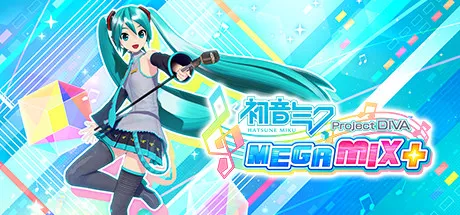
Hatsune Miku: Project DIVA Mega Mix+ Free Download (Offline Activation)
Featured Replies

header.webp

Game Details

Release Name:ย Hatsune Miku: Project DIVA Mega Mix+

Game Version:ย v1.04 | Build 11004484

Genre: Rhythm, Anime, Arcade, Cute, 3D

Publisher: SEGA

Platform: PC

Based On:ย Anti Denuvo Sanctuary CSF

Download Hatsune Miku: Project DIVA Mega Mix+

Take center stage in Hatsune Mikuโ€™s premier rhythm game starring the worldโ€™s #1 virtual pop star! From a stunner setlist of songs to an enormous wardrobe to style, this is the ultimate tour with Hatsune Miku, Kagamine Rin and Len, Megurine Luka, MEIKO and KAITOโ€”all it needs is you.

Start by choosing a song, then tap and hold buttons at the right time with the icons on-screen. Itโ€™s simple to grasp, and challenging to master. Vibe with the music videos on Easy or aim for a high score on Extreme! Button inputs can be configured to harmonize with playstyle and accessibility preferences, supported by Steam-compatible controllers.

Over 170 Songs
Project DIVA debuts on PC with over 170 playable songs, each accompanied by a unique music video. Get into classics like โ€œMeltโ€ and โ€œCendrillonโ€ plus new favorites like โ€œCatch The Waveโ€!

Endless Customization
Dress Miku and friends from head to toe in over 500 dazzling hairstyles, costumes, and accessories. Costumes can be tailored to every music video, making for endless possibilities.

Swap Visual Styles in One Click
Switch between two visual styles for different experiences. Enjoy the pop of the โ€œMega Mixโ€ style or the gloss of the high-fidelity โ€œFuture Toneโ€ style, and change it up anytime.

Custom T-Shirt Editor
Let Miku kickstart your fashion designer career on the big stage! Draw your own T-shirt from front to back, then debut it in a performance.

Custom Playlists
Youโ€™re the director of this concert! Curate a playlist to perfection, hit play, and let the customized music videos roll in this cinematic experience.

This game may be updated over time and have paid for and free additional content released for it. Please be aware that this may increase the minimum requirements for running the game above the specification stated below.


Screenshots

ss_8e067c8500808f235dd1f6c3673ff7c96af9dss_690354b97fd89067924932d44db5805398b5bss_730acd038445309b40b501b927342139c5c8bss_c523b1c1311d195e10b1a96c70db1b85c20a8


Trailer


System Requirements

OS

Windows 10

Processor

Intel Core i3-2100ใ€3.1 GHz or AMD Phenom II X4 965, 3.6 GHz

Memory

4 GB

Graphics

Nvidia GeForce GTX 550 Ti, 1 GB or AMD Radeon HD 5850, 1 GB

DirectX

Version 11

Storage

20 GB


Installation Guide

Step 1
  1. Download the Game Files and Join the Discord Server.

  2. Join the Anti-Denuvo Sanctuary Discord server using this link: [Click Here].

Step 2
  • New members will be assigned the Newbie role.

  • Wait for 12 hours, and then you can take the quiz (which becomes available after the 12-hour period) to gain access to the request channels.

Step 3
  • To avoid being banned and to understand how everything works, make sure to read the following channels:

    • #Rules

    • #Guide

    • #F.A.Q.

  • For a list of useful commands, type !help inside the server. This will show you a list of useful commands that you can use. It also includes video tutorials on how activation works and other helpful guides.

Step 4
  • As mentioned in Step 1, download the Steam clean files.

  • If you need additional tools, check the #Resources channel.

  • Important: Always double-check the game version. Using outdated versions can cause issues. Check SteamDB for the latest version.

  • If youโ€™re on Linux, notify the staff to get a role which gives you access to the #Linux-Deck channel. Refer to the #Linux-Guides channel for instructions and consult the team first before submitting a game request.

Step 5

  • Take ONE screenshot showing the following:

    • The contents of the game folder (just the root directory).

    • The Properties of the game folder.

    • Windows Update Blocker (WUB) showing the RED SHIELD.

Step 6
  • Self-Serve : Request games for free here.

  • New-Donator : This category applies only to newly released games. After about 1โ€“2 weeks, those games will move to #Self-Serve, where everyone can access them. Donating is optional and provides early access to new releases.

    • Be sure to carefully read the instructions inside each ticket. There are time limits for each step, so follow through. If youโ€™re unsure, use the โ€œNeed Helpโ€ button available inside the ticket, and the team will guide you through the process.

๐Ÿ”ฅDOWNLOAD AREA๐Ÿ”ฅ

๐Ÿ”น32.79 GB๐Ÿ”น

Select a server to download the game.

If the download links aren't working, try using a VPN or changing your DNS to 1.1.1.1

Rootz | Ranoz | Filemirage | 1fichier | Akirabox | Vikingfile | ALL Links

  • Views 577
  • Created
  • Last Reply

Posted Images

Create an account or sign in to comment

Recently Browsing 0

  • No registered users viewing this page.

Account

Navigation

Search

Search

๐Ÿ”Ž Search Tip
For exact results, search using "game name" .
Without quotes, results may include unrelated titles.

Configure browser push notifications

Chrome (Android)
  1. Tap the lock icon next to the address bar.
  2. Tap Permissions โ†’ Notifications.
  3. Adjust your preference.
Chrome (Desktop)
  1. Click the padlock icon in the address bar.
  2. Select Site settings.
  3. Find Notifications and adjust your preference.
