



Skip to content
View in the app

A better way to browse. Learn more.

ZeiGames

A full-screen app on your home screen with push notifications, badges and more.

To install this app on iOS and iPadOS
  1. Tap the Share icon in Safari
  2. Scroll the menu and tap Add to Home Screen.
  3. Tap Add in the top-right corner.
To install this app on Android
  1. Tap the 3-dot menu (โ‹ฎ) in the top-right corner of the browser.
  2. Tap Add to Home screen or Install app.
  3. Confirm by tapping Install.

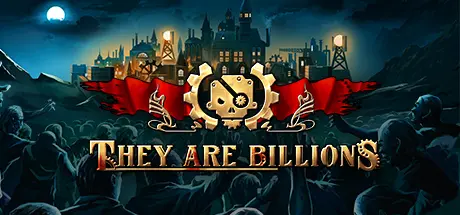
They Are Billions Free Download (v1.0.14 + Soundtrack & Art Book)
Featured Replies

header.webp

Game Details

Release Name:ย They Are Billions

Game Version:ย v1.0.14 | Build 21522877

Release Date: 18 Jun, 2019

Publisher: Numantian Games

Developer: Numantian Games

Based On:ย CSF & Goldberg

They Are Billions Direct Download - Game Review

They Are Billions is a strategy game in a distant future about building and managing human colonies after a zombie apocalypse destroyed almost all of human kind. Now there are only a few thousand humans left alive that must struggle to survive under the threat of the infection. Billions of infected roam around the world in massive swarms seeking the last living human colonies.

Lead the campaign under the orders of Quintus Crane, ruler of the New Empire, and reconquer the lands devastated by the infected.

  • 48 missions with more than 60 hours of gameplay.

  • Build fortified colonies to survive in infected territories

  • Destroy the swarms of infected with the Imperial Army.

  • Make your colonies evolve with more than 90 available technologies.

  • Explore the ancient human fortresses with your Hero.

  • Discover the story behind the apocalypse... how did the pandemic start?


In this mode, a random world is generated with its own events, weather, geography, and infected population. You must build a successful colony that must survive for a specific period of time against the swarms of infected. It is a fast and ultra addictive game mode. We plan to release a challenge of the week where all players must play the same random map. The best scores will be published in a leaderboard.


This is a real-time strategy game, but donโ€™t get too nervous. You can pause the action to take the best strategic and tactical decisions.
In Pause Mode, you can place structures to build, give orders to your army, or consult all of the gameโ€™s information.
This game is all about strategy, not player performance or the playerโ€™s skill to memorize and quickly execute dozens of key commands. Pause the game and take all the time you need!


Build dwellings and acquire food for the colonists. They will come to live and work for the colony.
Collect resources from the environment using various building structures. Upgrade buildings to make them more efficient.
Expand the energy distribution of the colony by placing Tesla Towers and build mills and power plants to feed the energy to your buildings.
Build walls, gates, towers, and structures to watch the surroundings. Donโ€™t let the infected take over the colony!


What kind of people would want to combat the infected?
Only the maddest ones. Train and contract mercenaries to protect the colony. They demand their money and food, and you will have to listen to their awful comments, but these tormented heroes will be your best weapon to destroy the infected.
Every unit is unique and has their own skills and personality โ€“ discover them!


Game Screenshots

screenshot screenshot screenshot screenshot


Game Trailer


System Requirements

Minimum Requirements

Recommended Requirements

OS

Windows 7, 8, 10 (32 and 64 bits)

Windows 7, 8, 10 (64 bits)

Processor

INTEL, AMD 2 cores CPU at 2Ghz

INTEL. AMD 4 cores CPU at 3Ghz

Memory

4 GB RAM

8 GB RAM

Graphics

Intel HD3000, Radeon, Nvidia card with shader model 3, 1GB video ram.

Radeon 7950 or above, Nvidia GTX 670 or above. 4GB video ram.

DirectX

Version 9.0c

Version 9.0c

Storage

4 GB available space

4 GB available space


Installation Guide

  1. No Installation Needed: The game is pre-installed. Just download and extract.

  2. Extract: Right-click the .zip or .rar file and select "Extract Here" or "Extract to folder".

  3. Run: Find Launcherx32.exe inside the folder and run it.

Game Data & Settings

  • Change Language: Edit the file located at steam_settings/Configs.user.ini

  • Save Data Location: %USERPROFILE%/My Documents/My Games/They Are Billions/Saves

Important Notes

DLC List

Added DLCs

They Are Billions - Soundtrack & Art Book

๐Ÿ”ฅDOWNLOAD AREA๐Ÿ”ฅ

๐Ÿ”น2.87 GB๐Ÿ”น

Select the server you want to download with ZeiLink.

Download

  • Replies 4
  • Views 1.8k
  • Created
  • Last Reply

Top Posters In This Topic

Posted Images

Hey,
right now itโ€™s basically unplayable, random zombies keep spawning inside the base.
I honestly canโ€™t tell if itโ€™s still a bug or some kind of anti-piracy thing.
Maybe someone here knows more? For me it happens in the very first campaign mission, after about 15 minutes, Zโ€™s just start popping up in the main base out of nowhere.

Simple search should fix your problem , search : they are billions zombies spawning in base

says "it is likely due to an un-cleared corner, a tiny gap in your walls, or a "Village of Doom" you activated nearby"

After doing some research, I can say that this is not the case.
In fact, there is an anti-piracy feature that spawns random Zs in the base..

Says try find a GOG version DRM free or use cheat engine to restore the tech tree with google sheet for each mission and horde. Save and do backups each mission , load them back on problems. Try find a version before 0.8. That's all there is and the rest says they don't think there is a version without the anti-piracy measures so they just play skirmish , well sorry man don't know what else to say , didn't know this game had anti-piracy feature

Create an account or sign in to comment

Recently Browsing 0

  • No registered users viewing this page.

Account

Navigation

Search

Search

๐Ÿ”Ž Search Tip
For exact results, search using "game name" .
Without quotes, results may include unrelated titles.

Configure browser push notifications

Chrome (Android)
  1. Tap the lock icon next to the address bar.
  2. Tap Permissions โ†’ Notifications.
  3. Adjust your preference.
Chrome (Desktop)
  1. Click the padlock icon in the address bar.
  2. Select Site settings.
  3. Find Notifications and adjust your preference.
