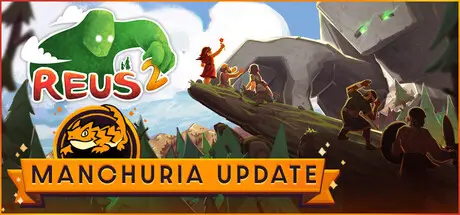
January 29Jan 29 Reus 2 Game DetailsRelease Name: Reus 2Game Version: v1.1.11 | Build 21605984Release Date: 28 May, 2024Publisher: FiresquidDeveloper: Abbey GamesBased On: CSF & GoldbergReus 2 Direct Download - Game OverviewBecome a God once again in Reus 2 by taking control of mighty giants whose command over their elements allows you to shape worlds, create an ecosystem of resources and enable human civilizations to thrive. Your choices will determine the fates of these fragile human beings, whose autonomy may lead them to great heights.Utilize a roster of 6 powerful Giants, each with their own unique abilities over plants, animals and minerals that will allow you to create new biomes for humans to settle their villages. As you progress, gain inspiration to unlock more skills for your Giants, providing you with a diversity of choices.With the !New Cataclysm update!, you can choose to take on more optional challenges. Leaders can now form relationships with Giants and each other based on their personality, become allies through trade or go to war. Humanity can also turn against your giants, sending out Giant Hunters to destroy them! Punish them with disastrous new powers, using the elements to teach them to respect the gods.Terraform a variety of biomes, strategically build up different combinations of flora, fauna and materials specific to those environments. By experimenting, discover which combinations create the best synergies for the inhabitants' needs and goals, leading you into exciting new eras of their existence.Shape the development of humanity with your choices as they evolve from early human societies to modern civilizations. Whether it's travelling to the stars as space explorers, starting a cult or wishing to cultivate nature, they will all have their goals. No matter the outcome, remember, you can always start a new humanity.Each playthrough leaves a lasting legacy in the stars by generating a new planet for you to experiment with. Fill the galaxy with endless variations of life and be inspired to take a new path with your next creation.Reus 2 Screenshots Reus 2 TrailerReus 2 System Requirements Minimum RequirementsRecommended Requirements OSWindows 10Windows 10 ProcessorAMD FX-4130 Quad-Core / Intel Core i3-4130Ryzen 7-1700X / Intel Core i7-4770 Memory8 GB RAM16 GB RAM GraphicsGeForce GTX 950 Ti / Radeon HD 7750Radeon RX 580 / GeForce GTX 1060 DirectXVersion 10Version 11 Storage3 GB available space4 GB available space How to Install Reus 2No Installation Needed: The game is pre-installed. Just download and extract.Extract: Right-click the .zip or .rar file and select "Extract Here" or "Extract to folder".Run: Find Reus 2.exe inside the folder and run it.Game Data & SettingsChange Language: Edit the file located at steam_settings/Configs.user.iniSave Data Location: %USERPROFILE%/AppData/LocalLow/Abbey Games/Reus 2Important NotesTo support the Game Developer, Get It On Steam.DLC ListAdded DLCsReus 2 - GrasslandsReus 2 - EvergladesReus 2 - Ice AgeReus 2 - Supporter Pack🔥DOWNLOAD AREA🔥🔹2.50 GB🔹Select the server you want to download with ZeiLink.Download





Create an account or sign in to comment