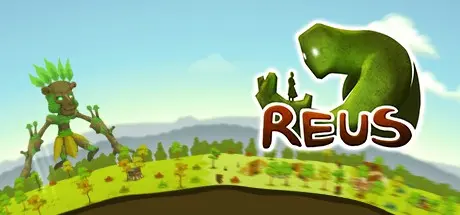
January 29Jan 29 Reus Game DetailsRelease Name: ReusGame Version: Build 2775669Release Date: 16 May, 2013Publisher: Abbey GamesDeveloper: Abbey GamesBased On: CSF & GoldbergReus Direct Download - Game OverviewIn Reus, you control powerful giants that help you shape the planet to your will. You can create mountains, oceans, forests and more. Enrich your planet with plants, minerals and animal life. There is only one thing on the planet that you do not control: mankind, with all their virtues and and all their vices. You can shape their world, but not their will. Provide for them and they may thrive. Give them too much, and their greed may gain the upper hand.Control four mighty giants, each with their own unique abilitiesTerra-form the planet to your will, experiment with different terrain typesA complex system of upgrades and synergies allows for endless styles of playObserve humanity, let your giants praise or punish themEnjoy an interesting art style and a strong soundtrackEnrich the planet with over 100 plants, animals and mineralsUnlock new content by helping humanity achieve numerous developmentsReus Screenshots Reus TrailerReus System Requirements Minimum RequirementsRecommended Requirements OS-Windows 7 ProcessorIntel® Core 2 Duo or AMD Phenom processorIntel® Core i5 or AMD Phenom II Memory2 GB RAM4 GB RAM GraphicsDirectX10(R) compatible card with 512MB of memoryDirectX10(R) compatible card with 1024MB of memory DirectX-- Storage500 MB HD space500 MB HD space How to Install ReusNo Installation Needed: The game is pre-installed. Just download and extract.Extract: Right-click the .zip or .rar file and select "Extract Here" or "Extract to folder".Run: Find Reus.exe inside the folder and run it.Game Data & SettingsChange Language: Edit the file located at steam_settings/Configs.user.iniSave Data Location: %USERPROFILE%/My Documents/Reus\SavesImportant NotesTo support the Game Developer, Get It On Steam.🔥DOWNLOAD AREA🔥🔹347 MB🔹Select the server you want to download with ZeiLink.Download
January 29Jan 29 I followed the instructions, but I can't seem to get the game to run. I looked in the folder and it seems like each time I try, these "error reports" keep popping up. This is what the last one says in it....************************************************************Version: 1.6.5Thread: MainSystem.IO.FileNotFoundException: Could not load file or assembly 'Microsoft.Xna.Framework.Game, Version=4.0.0.0, Culture=neutral, PublicKeyToken=842cf8be1de50553' or one of its dependencies. The system cannot find the file specified.File name: 'Microsoft.Xna.Framework.Game, Version=4.0.0.0, Culture=neutral, PublicKeyToken=842cf8be1de50553'at Reus.Program.ActualMain()at Reus.Program.Main(String[] args)WRN: Assembly binding logging is turned OFF.To enable assembly bind failure logging, set the registry value [HKLM\Software\Microsoft\Fusion!EnableLog] (DWORD) to 1.Note: There is some performance penalty associated with assembly bind failure logging.To turn this feature off, remove the registry value [HKLM\Software\Microsoft\Fusion!EnableLog].0xffffffff Reus.exe->Reus.Program.ActualMain0x008a Reus.exe->Reus.Program.Main*************************************************************I have no idea what any of that means or even how to read it. But is there something I'M not doing correctly?
January 29Jan 29 Author @BlackX "Please note that Reus is a 10 year old game and may have compatibility issues with some hardware."You need to install x86-x64 version VC Redist 2010-2013-2015 and XNA 4.0- .Net 4.0.
January 29Jan 29 3 minutes ago, DicDale said:@BlackX "Please note that Reus is a 10 year old game and may have compatibility issues with some hardware."You need to install x86-x64 version VC Redist 2010-2013-2015 and XNA 4.0- .Net 4.0.Okay, where do I find those files to download and install?
January 29Jan 29 Author Just now, BlackX said:Okay, where do I find those files to download and install?Search on google.





Create an account or sign in to comment