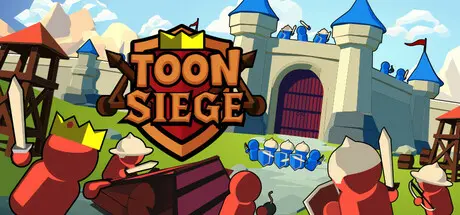
January 28Jan 28 Toon Siege Game DetailsRelease Name: Toon SiegeGame Version: v1.0.6 | Build 20722758Release Date: 6 Nov, 2025Publisher: Wilkie GamesDeveloper: Wilkie GamesBased On: CSF & GoldbergToon Siege Direct Download - Game OverviewBecome the attacker for once. Build your army and guide your Battering Ram along the path, through the maze of obstacles and fortifications to the enemy castle.Your Battering Ram is your most important unit. Stay close and keep moving it forward. Guide it through the enemy castle and bring down every gate and obstacle in your way.Build out your army with the rewards of your attacks. Choose from archers, swordsman and more to defend your Battering Ram and claim another castle for your Kingdom.Use the banner system to command your soldiers on the field of battle.Use your bow to pick off approaching enemies from a distance, swing your sword to take out groups of enemies in one fell swoop and set explosive traps for unsuspecting enemies to fall right into.35+ Levels across 8 unique worlds25+ Enemy TypesTime Attack mode (Bonus mode for every level)Destructible buildings and obstaclesHigh Score TrackingToon Siege Screenshots Toon Siege TrailerToon Siege System Requirements Minimum RequirementsRecommended Requirements OSWindows 10- ProcessorIntel® Core™ i5-9400F- Memory8 GB RAM- GraphicsNvidia GeForce RTX 1060- DirectX-- Storage1 GB available space- How to Install Toon SiegeNo Installation Needed: The game is pre-installed. Just download and extract.Extract: Right-click the .zip or .rar file and select "Extract Here" or "Extract to folder".Run: Find ToonSiege.exe inside the folder and run it.Game Data & SettingsChange Language: Edit the file located at steam_settings/Configs.user.iniSave Data Location: %USERPROFILE%/AppData/LocalLow/\Wilkie Games Limited\ToonSiegeImportant NotesTo support the Game Developer, Get It On Steam.🔥DOWNLOAD AREA🔥🔹668 MB🔹Select the server you want to download with ZeiLink.Download





Create an account or sign in to comment