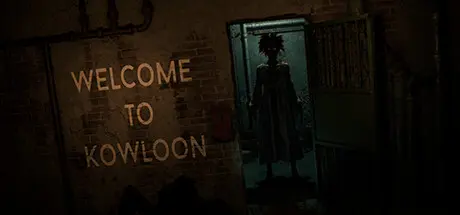
January 27Jan 27 Welcome to Kowloon Game DetailsRelease Name: Welcome to KowloonGame Version: Build 11931679Release Date: 1 Aug, 2023Publisher: N4bA, Notex, a1esska, AdmiaDeveloper: a1esska, Notex, N4bA, AdmiaBased On: CSF & GoldbergWelcome to Kowloon Direct Download - Game OverviewWelcome to Kowloon - is a first-person indie horror game in the walking simulator genre.The average time to complete the game is 50 minutes.Under the misty skies of China lay Kowloon, the most densely populated city, a tangle of narrow streets and endless passageways. Here, time lost its meaning, and the buildings merged into one indistinguishable sea of iron, concrete, and glass. Every step in this city led to a new discovery, a new story hidden within its walls. Hidden in the heart of Kowloon are places that defy description. Mysterious backstreets and cramped alleyways where the locals lived their hidden lives.Welcome to Kowloon Screenshots Welcome to Kowloon TrailerWelcome to Kowloon System Requirements Minimum RequirementsRecommended Requirements OSWindows 10/11Windows 10/11 ProcessorIntel Pentium G6400AMD Ryzen 3 1200/ Intel i3 7100 Memory6 GB RAM8 GB RAM GraphicsNVIDIA GTX 1050NVIDIA GTX 1060 DirectX-- Storage6 GB available space6 GB available space How to Install Welcome to KowloonNo Installation Needed: The game is pre-installed. Just download and extract.Extract: Right-click the .zip or .rar file and select "Extract Here" or "Extract to folder".Run: Find Welcome to Kowloon.exe inside the folder and run it.Game Data & SettingsChange Language: Edit the file located at steam_settings/Configs.user.iniImportant NotesTo support the Game Developer, Get It On Steam.🔥DOWNLOAD AREA🔥🔹3.42 GB🔹Select the server you want to download with ZeiLink.Download





Create an account or sign in to comment