



Skip to content
View in the app

A better way to browse. Learn more.

ZeiGames

A full-screen app on your home screen with push notifications, badges and more.

To install this app on iOS and iPadOS
  1. Tap the Share icon in Safari
  2. Scroll the menu and tap Add to Home Screen.
  3. Tap Add in the top-right corner.
To install this app on Android
  1. Tap the 3-dot menu (โ‹ฎ) in the top-right corner of the browser.
  2. Tap Add to Home screen or Install app.
  3. Confirm by tapping Install.

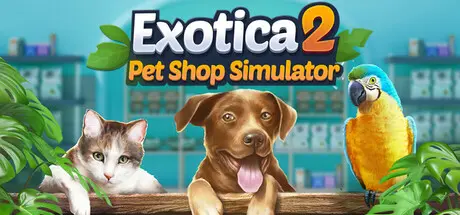
Exotica 2: Pet Shop Simulator Free Download (v1.1.7.8)
Featured Replies

header.webp

Game Details

Release Name:ย Exotica 2: Pet Shop Simulator

Game Version:ย v1.1.7.8 | Build 24206057

Release Date: 21 Jan, 2026

Publisher: Ultimate Publishing, Ultimate Games S.A.

Developer: Konrul Game

Based On:ย CSF & Goldberg

Exotica 2: Pet Shop Simulator Direct Download - Game Review

Step into Exotica 2: Pet Shop Simulator, where your shop buzzes with life, and every animal is a treasure waiting to be discovered. Grow your business by choosing which creatures to buy, breed, and sell, then reinvest your earnings to watch your cozy store flourish at your own rhythm.

Enjoy a warm, sim-lite adventure where running your pet shop is all about gentle progress, delightful animal encounters, and business growth without any pressure or confusing systems.

Begin with a humble shop and shape its future with every decision you make. Choose your animals, plan your breeding, and set your prices as you welcome customers and watch your profits grow. Each step forward feels satisfying and unrushed, letting your business blossom in its own time.

Animals are the soul of your shop. Nurture them from tiny babies, discover new breeds, and share your favorites with eager customers. As you grow, you meet over 70 unique species, including rare and eye-catching variants that make your store truly special. Pick animals up, hold them, carry them around the shop, and place them in habitats!

  • Build and run your own exotic pet shop while growing a lively business.

  • Design your shop freely by shaping the layout, structures, and decorations.

  • Customize your shop with a wide range of textures and lighting options.

  • Unlock over 70 animal species, from cats and dogs to reptiles, birds, and fish.

  • Watch animals roam freely around your shop, bringing it to life.

  • Breed animals in real time and discover rare color or pattern variations.

  • Feed animals, clean habitats, maintain spaces, and provide enrichment.

  • Manage aquariums easily with automatic water filling and draining.

  • Meet customers with different personalities and reactions.

  • Use the cash register, handle payments, and review purchase summaries.

  • Hire employees with unique strengths, weaknesses, and animal phobias.

  • Earn star points to unlock new animals, items, and objects.


Game Screenshots

screenshot screenshot screenshot screenshot


Game Trailer


System Requirements

Minimum Requirements

Recommended Requirements

OS

Windows 10 (64-bit)

Windows 11 (64-bit)

Processor

Intel Core i5-8400 / AMD Ryzen 5 1500X

Intel Core i5-10600K / AMD Ryzen 5 3600

Memory

8 GB RAM

16 GB RAM

Graphics

GeForce GTX 1050 (3 GB) / AMD Radeon RX 560 (4 GB)

GeForce RTX 2070 / Radeon RX 5700 XT

DirectX

Version 9.0c

Version 11

Storage

6 GB available space

6 GB available space


Installation Guide

  1. No Installation Needed: The game is pre-installed. Just download and extract.

  2. Extract: Right-click the .zip or .rar file and select "Extract Here" or "Extract to folder".

  3. Run: Find Exotica 2.exe inside the folder and run it.

Game Data & Settings

  • Change Language: Edit the file located at steam_settings/Configs.user.ini

  • Save Data Location: %USERPROFILE%/AppData/Local/Exotica2\Saved\SaveGames

Important Notes

๐Ÿ”ฅDOWNLOAD AREA๐Ÿ”ฅ

๐Ÿ”น5.66 GB๐Ÿ”น

Select the server you want to download with ZeiLink.

Download

  • DicDale changed the title to Exotica 2: Pet Shop Simulator Free Download (v1.1.7.8)

  • Views 1.8k
  • Created
  • Last Reply

Posted Images

Create an account or sign in to comment

Recently Browsing 0

  • No registered users viewing this page.

Account

Navigation

Search

Search

๐Ÿ”Ž Search Tip
For exact results, search using "game name" .
Without quotes, results may include unrelated titles.

Configure browser push notifications

Chrome (Android)
  1. Tap the lock icon next to the address bar.
  2. Tap Permissions โ†’ Notifications.
  3. Adjust your preference.
Chrome (Desktop)
  1. Click the padlock icon in the address bar.
  2. Select Site settings.
  3. Find Notifications and adjust your preference.