



Skip to content
View in the app

A better way to browse. Learn more.

ZeiGames

A full-screen app on your home screen with push notifications, badges and more.

To install this app on iOS and iPadOS
  1. Tap the Share icon in Safari
  2. Scroll the menu and tap Add to Home Screen.
  3. Tap Add in the top-right corner.
To install this app on Android
  1. Tap the 3-dot menu (โ‹ฎ) in the top-right corner of the browser.
  2. Tap Add to Home screen or Install app.
  3. Confirm by tapping Install.

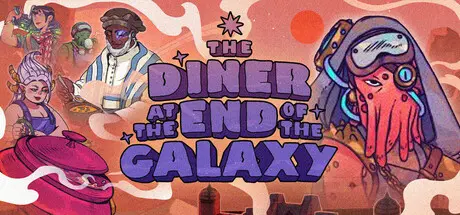
The Diner at the End of the Galaxy Free Download (v20251219)
Featured Replies

header.webp

Game Details

Release Name:ย The Diner at the End of the Galaxy

Game Version:ย v20251219 | Build 21255328

Release Date: 18 Nov, 2025

Publisher: PlayWay S.A.

Developer: General Interactive Co.

Based On:ย CSF & Goldberg

The Diner at the End of the Galaxy Direct Download - Game Review

Transform an abandoned trading outpost on a desert planet into a hub for the galaxy's mercenaries, scheming nobles, smugglers, traders, adventurers, and all manner of patrons. Everyone's welcome - as long as they've got a few Gobards to spend.

Build grand dining halls, busy kitchens, and outdoor gardens where exotic crops thrive. Design a menu that caters to the diverse preferences of your alien clientele. Optimize your interior design to navigate rush hours and hungry guests. Hire literally anyone who walks through your doors in order to staff your diner with the best cooks, gardeners, servers, and crafters in the Nusa star system.

Making customers of different factions happy rewards you with Faction Points that can not only be used to request a visit from their traders, buy special objects and build special rooms - it also allows you to request a faction to invade a region of the galaxy. Earn monthly rewards for each successful invasion you fund!

Take control over every single aspect of your influential new canteen as you build up from nothing. Unlock and master over 50 recipes with over 13 key ingredients using 3 cooking methods to experiment with as you learn what aliens like (and definitely donโ€™t like) through trial and error.

Youโ€™ll have tons of tools at your disposal to make your own unique diner with your own uniquely weird menu.

Sure, the galaxy may or may not have been reduced to ruin and rubble by the war. Depends whoโ€™s asking. But there's plenty of riches waiting out there for those enterprising enough to look for them. Assemble a crew, send out expeditions to distant worlds to get rare crops, and make your diner truly special as you exert your influence on the solar system.


Game Screenshots

screenshot screenshot screenshot screenshot


Game Trailer


System Requirements

Minimum Requirements

Recommended Requirements

OS

Windows 10 64-bit

-

Processor

Intel Core i3 Duo Core

-

Memory

8 GB RAM

-

Graphics

NVIDIA Geforce GTS 450 or better

-

DirectX

Version 11

-

Storage

3 GB available space

-


Installation Guide

  1. No Installation Needed: The game is pre-installed. Just download and extract.

  2. Extract: Right-click the .zip or .rar file and select "Extract Here" or "Extract to folder".

  3. Run: Find The Diner at the End of the Galaxy.exe inside the folder and run it.

Game Data & Settings

  • Change Language: Edit the file located at steam_settings/Configs.user.ini

  • Save Data Location: %USERPROFILE%/AppData/LocalLow/General Interactive/The Diner at the End of the Galaxy/Saves/

Important Notes

๐Ÿ”ฅDOWNLOAD AREA๐Ÿ”ฅ

๐Ÿ”น530 MB๐Ÿ”น

Select the server you want to download with ZeiLink.

Download

  • Views 826
  • Created
  • Last Reply

Posted Images

Create an account or sign in to comment

Recently Browsing 0

  • No registered users viewing this page.

Account

Navigation

Search

Search

๐Ÿ”Ž Search Tip
For exact results, search using "game name" .
Without quotes, results may include unrelated titles.

Configure browser push notifications

Chrome (Android)
  1. Tap the lock icon next to the address bar.
  2. Tap Permissions โ†’ Notifications.
  3. Adjust your preference.
Chrome (Desktop)
  1. Click the padlock icon in the address bar.
  2. Select Site settings.
  3. Find Notifications and adjust your preference.
