



Skip to content
View in the app

A better way to browse. Learn more.

ZeiGames

A full-screen app on your home screen with push notifications, badges and more.

To install this app on iOS and iPadOS
  1. Tap the Share icon in Safari
  2. Scroll the menu and tap Add to Home Screen.
  3. Tap Add in the top-right corner.
To install this app on Android
  1. Tap the 3-dot menu (โ‹ฎ) in the top-right corner of the browser.
  2. Tap Add to Home screen or Install app.
  3. Confirm by tapping Install.

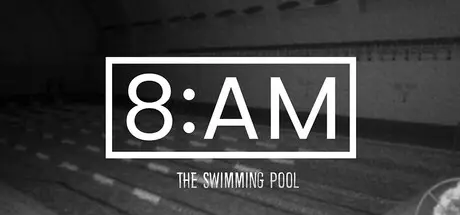
8AM: The Swimming Pool Free Download (Build 20435102)
Featured Replies

header.webp

Game Details

Release Name:ย 8AM: The Swimming Pool

Game Version:ย Build 20435102

Release Date: 6 Jan, 2026

Publisher: HeadArrow

Developer: David Gallardo

Based On:ย CSF & Goldberg

8AM: The Swimming Pool Direct Download - Game Review

"8AM: The Swimming Pool" plunges the player into a tense and enigmatic experience of observation and judgment, set beneath the dim lights of an empty public pool. The night has fallen, and the facility is about to close. Only a few late swimmers remain โ€” tired, silent, and seemingly ordinary.

You are stationed in the control room, surrounded by flickering monitors, hearing the distant echo of water and the hum of fluorescent lights. You donโ€™t know why you are there, nor who asked you to watch. Your only task: observe. Yet, as the clock approaches midnight, the calm surface of the pool begins to conceal something far less tranquil.

From that moment, the surveillance feed begins to reveal strange anomalies โ€” shadows moving where no one should be, reflections that donโ€™t match their owners, and swimmers whose gestures grow more erratic as the hours pass. Are they just exhausted? Or is something beneath the water pulling them closer to madness?


Game Screenshots

screenshot screenshot screenshot screenshot


Game Trailer


System Requirements

Minimum Requirements

Recommended Requirements

OS

Windows 10 (64 Bits)

Windows 10 (64 bits)

Processor

AMD FX-8320

AMD Ryzen 5 3600

Memory

8 GB RAM

16 GB RAM

Graphics

MSI Radeon R7 200 Series

RTX 2060

DirectX

-

-

Storage

5 GB available space

5 GB available space


Installation Guide

  1. No Installation Needed: The game is pre-installed. Just download and extract.

  2. Extract: Right-click the .zip or .rar file and select "Extract Here" or "Extract to folder".

  3. Run: Find am.exe inside the folder and run it.

Game Data & Settings

  • Change Language: Edit the file located at steam_settings/Configs.user.ini

Important Notes

๐Ÿ”ฅDOWNLOAD AREA๐Ÿ”ฅ

๐Ÿ”น4.53 GB๐Ÿ”น

Select the server you want to download with ZeiLink.

Download

  • Views 629
  • Created
  • Last Reply

Posted Images

Create an account or sign in to comment

Recently Browsing 0

  • No registered users viewing this page.

Account

Navigation

Search

Search

๐Ÿ”Ž Search Tip
For exact results, search using "game name" .
Without quotes, results may include unrelated titles.

Configure browser push notifications

Chrome (Android)
  1. Tap the lock icon next to the address bar.
  2. Tap Permissions โ†’ Notifications.
  3. Adjust your preference.
Chrome (Desktop)
  1. Click the padlock icon in the address bar.
  2. Select Site settings.
  3. Find Notifications and adjust your preference.
