



Skip to content
View in the app

A better way to browse. Learn more.

ZeiGames

A full-screen app on your home screen with push notifications, badges and more.

To install this app on iOS and iPadOS
  1. Tap the Share icon in Safari
  2. Scroll the menu and tap Add to Home Screen.
  3. Tap Add in the top-right corner.
To install this app on Android
  1. Tap the 3-dot menu (โ‹ฎ) in the top-right corner of the browser.
  2. Tap Add to Home screen or Install app.
  3. Confirm by tapping Install.

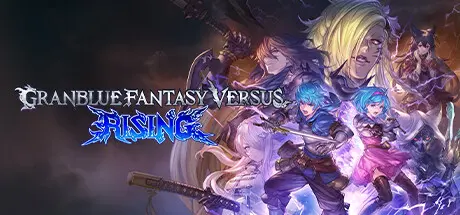
Granblue Fantasy Versus: Rising Free Download (v2.51 + ALL DLC)
Featured Replies

header.webp

Game Details

Release Name:ย Granblue Fantasy Versus: Rising

Game Version:ย v2.51 | Build 22277712

Release Date: 13 Dec, 2023

Publisher: Cygames, Inc.

Developer: Cygames, Inc., Arc System Works

Based On:ย CSF & Goldberg

Granblue Fantasy Versus: Rising Direct Download - Game Review

The latest installment in the GBVS series is taking the genre to new heights! Rise to glory in the definitive fighting game experience for beginners and veterans alike.

It's a Party! Claim Your Crown in Grand Bruise Legends!
Need a break from matches? Take a breather and experience a one-of-a-kind island lobby filled with fun attractions. You can even go head-to-head with other players online in a variety of obstacle courses and survival games in an all-new party mode, Grand Bruise Legends!
(Avatar, character, and mode availability is limited in the Free Edition.)

Stay Focused on the Battle, Not the Controls
Newcomers can fully enjoy the intensity and thrills of one-on-one combat without needing to memorize complicated controlsโ€”simple inputs can be used to perform skills with the press of a single button!

A Captivating Story Campaign Awaits
Embark on a journey through the vast skies of Granblue Fantasy and immerse yourself in an epic adventure while mastering the fundamentals of gameplay. As you take on more quests in this action RPG-inspired experience, you'll continue to grow stronger.

Personalize the Experience On Every Level
Express yourself and show some love for your favorite Granblue characters through a variety of character colors, weapon skins, lobby avatars, and even a selectable partner character to cheer you on and give you advice!

Get Creative with the Digital Figure Studio
The only limit is your imaginationโ€”construct original dioramas from a massive collection of high-quality 3D models from the Granblue Fantasy Versus series!


Game Screenshots

screenshot screenshot screenshot screenshot


Game Trailer


System Requirements

Minimum Requirements

Recommended Requirements

OS

Windows 11 (64-bit OS required)

-

Processor

AMD FX-4350, 4.2 GHz / Intel Core i5-3470, 3.20 GHz

-

Memory

4 GB RAM

-

Graphics

Radeon HD 6870, 1 GB / GeForce GTX 650 Ti, 1 GB

-

DirectX

Version 11

-

Storage

20 GB available space

-


Installation Guide

  1. No Installation Needed: The game is pre-installed. Just download and extract.

  2. Extract: Right-click the .zip or .rar file and select "Extract Here" or "Extract to folder".

  3. Run: Find GBVSR.exe inside the folder and run it.

Game Data & Settings

  • Change Language: Edit the file located at steam_settings/Configs.user.ini

  • Save Data Location: %USERPROFILE%/AppData/Local/GBVSR/Saved/SaveGames/

Important Notes

DLC List

Added DLCs

GBVSR - Weapon Skin Set: Battle Pass Pack 6

GBVSR - Color Set: Battle Pass Pack 6

GBVSR - Character Costume: Spooky Vicky (Vikala)

GBVSR - Weapon Skin Set: Battle Pass Pack 5

GBVSR - Color Set: Battle Pass Pack 5

GBVSR - Character Costume: Unadulterated Amour (Belial)

GBVSR - Additional Character Set (Meg)

GBVSR - Premium Avatar Set (Zombie Land Saga Movie)

GBVSR - Weapon Skin Set: Battle Pass Pack 4

GBVSR - Color Set: Battle Pass Pack 4

GBVSR - Character Costume: Indigo Witch (Beatrix)

GBVSR - Additional Character Set (Wilnas)

GBVSR - Weapon Skin Set: Battle Pass Pack 3

GBVSR - Color Set: Battle Pass Pack 3

GBVSR - Character Costume: Sinborne Redeemer (Seox)

GBVSR - Additional Character Set (Galleon)

GBVSR - Additional Character Set (Sandalphon)

GBVSR - Character Costume: Crimson Bomber (Zeta)

GBVSR - Character Costume: The Black Butterfly (Narmaya)

GBVSR - Character Costume: Conqueror's Carapace (Beelzebub)

GBVSR - System Voice Set 3

GBVSR - Figure Studio Set 2

GBVSR - Figure Studio Set 1

GBVSR - Weapon Skin Set: Battle Pass Pack 2

GBVSR - Weapon Skin Set: Battle Pass Pack 1

GBVSR - Color Set: Battle Pass Pack 2

GBVSR - Color Set: Battle Pass Pack 1

GBVSR - Premium Avatar Set (Pop Team Epic)

GBVSR - Color Set 6

GBVSR - Color Set 5

GBVSR - Character Pass 2

GBVSR - Deluxe Character Pass 2

GBVSR - System Voice Set 2

GBVSR - Character Costume: Knight's Finery (Lancelot)

GBVSR - Premium Avatar Set (Shadowverse)

GBVSR - Character Costume: Lady Serenity (Katalina)

GBVSR - Premium Avatar Set (Princess Connect! Re: Dive)

GBVSR - Character Color set 4

GBVSR - Character Color set 3

GBVSR - Additional Character Set (Vikala)

GBVSR - Additional Character Set (Versusia)

GBVSR - Additional Character Set (Beatrix)

GBVSR - Additional Character Set (Vane)

GBVSR - Additional Character Set (2B)

GBVSR - Additional Character (Lucilius)

Granblue Fantasy Versus: Rising - 3 Weapon Skins for All Base Characters

Granblue Fantasy Versus: Rising - 4 Alt Colors for All Base Characters

GBVSR - Deluxe Character Pass 1

GBVSR - Character Pass 1

GBVSR - Premium Avatar Set (Umamusume: Pretty Derby)

GBVSR - System Voice Set

GBVSR - Character Color Set 2

GBVSR - Character Color Set 1

๐Ÿ”ฅDOWNLOAD AREA๐Ÿ”ฅ

๐Ÿ”น22.19 GB๐Ÿ”น

Select the server you want to download with ZeiLink.

Download

  • 3 months later...
  • Replies 2
  • Views 1.9k
  • Created
  • Last Reply

Top Posters In This Topic

Posted Images

  • DicDale changed the title to Granblue Fantasy Versus: Rising Free Download (Build 20889967 + ALL DLC + Online)
  • DicDale changed the title to Granblue Fantasy Versus: Rising Free Download (v2.51 + ALL DLC)

Create an account or sign in to comment

Recently Browsing 0

  • No registered users viewing this page.

Account

Navigation

Search

Search

๐Ÿ”Ž Search Tip
For exact results, search using "game name" .
Without quotes, results may include unrelated titles.

Configure browser push notifications

Chrome (Android)
  1. Tap the lock icon next to the address bar.
  2. Tap Permissions โ†’ Notifications.
  3. Adjust your preference.
Chrome (Desktop)
  1. Click the padlock icon in the address bar.
  2. Select Site settings.
  3. Find Notifications and adjust your preference.