



Skip to content
View in the app

A better way to browse. Learn more.

ZeiGames

A full-screen app on your home screen with push notifications, badges and more.

To install this app on iOS and iPadOS
  1. Tap the Share icon in Safari
  2. Scroll the menu and tap Add to Home Screen.
  3. Tap Add in the top-right corner.
To install this app on Android
  1. Tap the 3-dot menu (โ‹ฎ) in the top-right corner of the browser.
  2. Tap Add to Home screen or Install app.
  3. Confirm by tapping Install.

Fairy Tale About Father Frost, Ivan and Nastya Free Download (Build 844672)
Featured Replies

header.webp

Game Details

Release Name:ย Fairy Tale About Father Frost, Ivan and Nastya

Game Version:ย Build 844672

Release Date: 30 Apr, 2014

Publisher: Bohemia Interactive

Developer: Bohemia Interactive

Based On:ย CSF & Goldberg

Fairy Tale About Father Frost, Ivan and Nastya Direct Download - Game Review

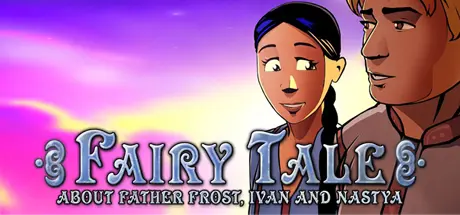
Inspired by reading more than one thousand Russian fairy tales, this is a story about love, spite, greed, modesty, humility and seeking. It is divided into four acts - according to the four seasons. That means you'll visit some of the game locations several times, but every time at a different season and in a different time of day.

Together with the characters of a humble girl Nastienka and gallant hero Ivan you are to overcome many baits and puzzles and in the end you'll try some of the wedding's pirozhki.

You are awaited by mysterious beings and magic objects, wild beasts and domestic animals and pets, guileful highway robbers, evil hag Baba Yaga, Old Man Mushrooom, prudent Father Frosty and many other traditional and non-traditional fairy-tale characters.

Any child able to switch a computer on can play this with parental assistance, however, this is ideal for children aged 6 years as their first game as the PC control system is for the beginner.


Game Screenshots

screenshot screenshot screenshot screenshot


Game Trailer


System Requirements

Minimum Requirements

Recommended Requirements

OS

Windows 10

-

Processor

Pentium 300 MHz

-

Memory

32 MB RAM

-

Graphics

4MB

-

DirectX

-

-

Storage

-

-


Installation Guide

  1. No Installation Needed: The game is pre-installed. Just download and extract.

  2. Extract: Right-click the .zip or .rar file and select "Extract Here" or "Extract to folder".

  3. Run: Find mrazik.exe inside the folder and run it.

Game Data & Settings

  • Change Language: Edit the file located at steam_settings/Configs.user.ini

  • Save Data Location: [Steam Library]/steamapps/common/Morozko/.

Important Notes

๐Ÿ”ฅDOWNLOAD AREA๐Ÿ”ฅ

๐Ÿ”น424 MB๐Ÿ”น

Select the server you want to download with ZeiLink.

Download

  • Views 441
  • Created
  • Last Reply

Posted Images

Create an account or sign in to comment

Recently Browsing 0

  • No registered users viewing this page.

Account

Navigation

Search

Search

๐Ÿ”Ž Search Tip
For exact results, search using "game name" .
Without quotes, results may include unrelated titles.

Configure browser push notifications

Chrome (Android)
  1. Tap the lock icon next to the address bar.
  2. Tap Permissions โ†’ Notifications.
  3. Adjust your preference.
Chrome (Desktop)
  1. Click the padlock icon in the address bar.
  2. Select Site settings.
  3. Find Notifications and adjust your preference.
