



Theme
Language

Layout
Skip to content
View in the app

A better way to browse. Learn more.

ZeiGames

A full-screen app on your home screen with push notifications, badges and more.

To install this app on iOS and iPadOS
  1. Tap the Share icon in Safari
  2. Scroll the menu and tap Add to Home Screen.
  3. Tap Add in the top-right corner.
To install this app on Android
  1. Tap the 3-dot menu (⋮) in the top-right corner of the browser.
  2. Tap Add to Home screen or Install app.
  3. Confirm by tapping Install.

MAMIYA Free Download (Build 21282227 + DoomsDayDreams DLC)
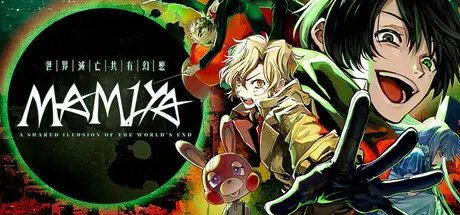
MAMIYA

Featured Replies

MAMIYA cover art

MAMIYA Game Details

Release Name: MAMIYA

Game Version: Build 21282227

Release Date: 30 Apr, 2021

Publisher: Fruitbat Factory

Developer: Kenkou Land

Based On: CSF & Goldberg

MAMIYA Direct Download - Game Overview

MAMIYA is a captivating, dark mystery visual novel in which a group of young men struggle against existential dread before the end of the world.

A solitary high schooler rumored to be involved in multiple violent incidents. The only one who understands him is his childhood friend, Toujou Minato.

Because of his often-absent mother, he has to do part-time jobs to support his 9-year-old sister.

While not very good at making friends or conversation, he has a very sincere heart.


MAMIYA Screenshots

MAMIYA screenshot 1 MAMIYA screenshot 2 MAMIYA screenshot 3 MAMIYA screenshot 4


MAMIYA Trailer


MAMIYA System Requirements

Minimum Requirements

Recommended Requirements

OS

Windows 7/8/10/11

-

Processor

Intel Pentium 2.4GHz or higher

-

Memory

2 GB RAM

-

Graphics

Direct3D compatible video card with 256MB memory or more

-

DirectX

Version 9.0c

-

Storage

2 GB available space

-


How to Install MAMIYA

  1. No Installation Needed: The game is pre-installed. Just download and extract.

  2. Extract: Right-click the .zip or .rar file and select "Extract Here" or "Extract to folder".

  3. Run: Find MAMIYA.exe inside the folder and run it.

Game Data & Settings

  • Change Language: Edit the file located at steam_settings/Configs.user.ini

Important Notes

DLC List

Added DLCs

MAMIYA - DoomsDayDreams

🔥DOWNLOAD AREA🔥

🔹1.24 GB🔹

Select the server you want to download with ZeiLink.

Download

  • Views 1k
  • Created
  • Last Reply

Posted Images

Create an account or sign in to comment

Recently Browsing 0

  • No registered users viewing this page.

Account

Navigation

Search

Search

🔎 Search Tip
For exact results, search using "game name" .
Without quotes, results may include unrelated titles.

Configure browser push notifications

Chrome (Android)
  1. Tap the lock icon next to the address bar.
  2. Tap Permissions → Notifications.
  3. Adjust your preference.
Chrome (Desktop)
  1. Click the padlock icon in the address bar.
  2. Select Site settings.
  3. Find Notifications and adjust your preference.
