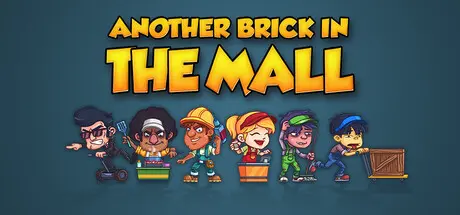
December 31, 2025Dec 31 Another Brick in The Mall Game DetailsRelease Name: Another Brick in The MallGame Version: v1.2.3 | Build 19812365Release Date: 30 Apr, 2020Publisher: The QuadsphereDeveloper: The QuadsphereBased On: CSF & GoldbergAnother Brick in The Mall Direct Download - Game OverviewDesign, build and manage a giant shopping center. Open shops, supermarkets, restaurants, movie theaters, bowling alleys and more. Hire and manage the best staff for the job and milk your customers for all they're worth!Design and build your center from the ground up. You are responsible for every road, parking, wall, floor tile, door, shelf, plant, you name it. Arrange them optimally, or to your liking, and create a unique shopping empire.Thousands of characters and vehicles are simulated on screen, for that ant colony feel.Hire your staff from a panel of applicants, making sure their skills match the job.Deploy your workforce efficiently to keep the queues short, the shelves stocked and the floors clean.Keep your customers happy and satisfied. Unsatisfied customers will not come back tomorrow and furious ones will make a stink and tarnish your reputation.Sell staple goods to attract more customers and prey on their cravings and addictions to trigger impulse purchases.Starting your venture with limited funds, responsible accounting is paramount to your success. Open your first business, turn a profit, take out loans and expand progressively.Or play in sandbox mode and carelessly spend your infinite money: “This is your world.”Another Brick in The Mall Screenshots Another Brick in The Mall TrailerAnother Brick in The Mall System Requirements Minimum RequirementsRecommended Requirements OSWindows 7 SP1/8.1/10Windows 10 Processor4 threads capable CPU (Core i3 or equivalent) @ 2.2GHz8 threads capable CPU (Core i7, Ryzen 5 or equivalent) @ 3.0GHz Memory2 GB RAM4 GB RAM GraphicsGeForce GT 640, GT 750M or equivalent with 2GB memoryGeForce GTX 750 or equivalent with 2GB memory DirectXVersion 9.0cVersion 9.0c Storage300 MB available space300 MB available space How to Install Another Brick in The MallNo Installation Needed: The game is pre-installed. Just download and extract.Extract: Right-click the .zip or .rar file and select "Extract Here" or "Extract to folder".Run: Find launch.exe inside the folder and run it.Game Data & SettingsChange Language: Edit the file located at steam_settings/Configs.user.iniSave Data Location: %USERPROFILE%/AppData/Local/Another Brick in the MallImportant NotesTo support the Game Developer, Get It On Steam.🔥DOWNLOAD AREA🔥🔹184 MB🔹Select the server you want to download with ZeiLink.Download





Create an account or sign in to comment