



Skip to content
View in the app

A better way to browse. Learn more.

ZeiGames

A full-screen app on your home screen with push notifications, badges and more.

To install this app on iOS and iPadOS
  1. Tap the Share icon in Safari
  2. Scroll the menu and tap Add to Home Screen.
  3. Tap Add in the top-right corner.
To install this app on Android
  1. Tap the 3-dot menu (โ‹ฎ) in the top-right corner of the browser.
  2. Tap Add to Home screen or Install app.
  3. Confirm by tapping Install.

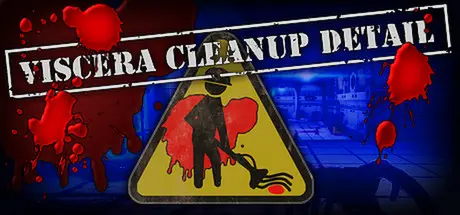
Viscera Cleanup Detail Free Download (v1.145 + ALL DLC)
Featured Replies

header.webp

Game Details

Release Name:ย Viscera Cleanup Detail

Game Version:ย v1.145 | Build 6199993

Release Date: 23 Oct, 2015

Publisher: RuneStorm

Developer: RuneStorm

Based On:ย CSF & Goldberg

Viscera Cleanup Detail Direct Download - Game Review

Disaster! An alien invasion and subsequent infestation have decimated this facility. Many lives were lost, the facility was ruined and the aliens were unstoppable. All hope was lost until one survivor found the courage to fight back and put the aliens in their place!
It was a long and horrific battle as the survivor dueled with all manner of terrifying life-forms and alien mutations, but our hero won out in the end and destroyed the alien menace! Humanity was saved!

Unfortunately, the alien infestation and the heroic efforts of the courageous survivors have left rather a mess throughout the facility. As the janitor, it is your duty to get this place cleaned up.
So grab your mop and roll up your sleeves, this is gonna be one messy job.
Today, you're on Viscera Cleanup Detail!

  • Janitorial Simulation - Step into the boots of a space-station sanitation technician and deal with the horrific aftermath of a sci-fi horror event. Blood, viscera, spent cartridges, worker bodies and other messes litter the facilities.

  • Clean - It's your job to clean up the mess, so clean it up you shall! Use your trusty mop, gloves, dispenser machines, plasma laser and sniffer tool to help you get all that blood out of the floor and off the ceiling! You can even try and punch-out if you think you've done your job.

  • Sandbox Gameplay - Don't want to clean? Just want to make more of a mess and play around with the physics? Go ahead! You can save your game as well; that's kind of us!

  • Multiplayer - You can even enlist some friends/coworkers to come and help you clean up (or make even more mess). Split-screen co-op is available too!


Game Screenshots

screenshot screenshot screenshot screenshot


Game Trailer


System Requirements

Minimum Requirements

Recommended Requirements

OS

Win XP SP3, Win 7

Win XP SP3, Win 7

Processor

2.4GHz Dual core CPU

2.6GHz Quad core CPU

Memory

4 GB RAM

8 GB RAM

Graphics

512MB Shader Model 3.0 Nvidia GeForce 8800 GT or AMD Radeon HD 3870

GB Nvidia GeForce GTX 560 or AMD Radeon HD 5850

DirectX

Version 9.0c

Version 9.0c

Storage

5 GB available space

5 GB available space


Installation Guide

  1. No Installation Needed: The game is pre-installed. Just download and extract.

  2. Extract: Right-click the .zip or .rar file and select "Extract Here" or "Extract to folder".

  3. Run: Find Binaries/Win64/UDK.exe inside the folder and run it.

Game Data & Settings

  • Change Language: Edit the file located at steam_settings/Configs.user.ini

  • Save Data Location: */Saves

Important Notes

DLC List

Added DLCs

Viscera Cleanup Detail - The Vulcan Affair

Viscera Cleanup Detail - House of Horror

๐Ÿ”ฅDOWNLOAD AREA๐Ÿ”ฅ

๐Ÿ”น3.63 GB๐Ÿ”น

Select the server you want to download with ZeiLink.

Download

  • Replies 3
  • Views 1.5k
  • Created
  • Last Reply

Top Posters In This Topic

Most Popular Posts

Posted Images

3 hours ago, DicDale said:

Nah, i tryed but no luck peepoKupa

That's alright my friend, with Radmin VPN can save the day

Create an account or sign in to comment

Recently Browsing 0

  • No registered users viewing this page.

Account

Navigation

Search

Search

๐Ÿ”Ž Search Tip
For exact results, search using "game name" .
Without quotes, results may include unrelated titles.

Configure browser push notifications

Chrome (Android)
  1. Tap the lock icon next to the address bar.
  2. Tap Permissions โ†’ Notifications.
  3. Adjust your preference.
Chrome (Desktop)
  1. Click the padlock icon in the address bar.
  2. Select Site settings.
  3. Find Notifications and adjust your preference.
