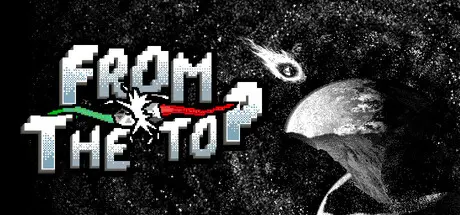
December 29, 2025Dec 29 From The Top Game DetailsRelease Name: From The TopGame Version: v1.29 | Build 21181379Release Date: 9 Dec, 2025Publisher: JUNKFALL33Developer: JUNKFALL33Based On: CSF & GoldbergFrom The Top Direct Download - Game OverviewFusing Battling tops and Roguelike Deckbuilding together to create an endless decent source of battling tops fun! Collect new tops, combine them together, pair 'em up with synergistic relic and go on a short adventure, From the Top!Realistic simulation-: Ready, Launch, and Battle! Use your spinning top to knock your opponents out or simply out last them in a battle of attrition.-With a twist: But these aren't your regular old battling tops, these ones have abilities. Smash at them with full force, build a wall between to defend yourself, Fly high to the sky and strike and many more abilities to choose from!Build the perfect team: Collect new tops and Combine them together to create your perfect combination and pair them up with a suitable relic!We start From the Top: Every time you start a new run, the layout and paths differs slightly every time. Choose paths according to your team and specialty and build the final boss fight!From The Top Screenshots From The Top System Requirements Minimum RequirementsRecommended Requirements OSWindows 10- Processor2.0 Ghz- Memory4 GB RAM- Graphics-- DirectXVersion 11- Storage2 GB available space- How to Install From The TopNo Installation Needed: The game is pre-installed. Just download and extract.Extract: Right-click the .zip or .rar file and select "Extract Here" or "Extract to folder".Run: Find Launcher.exe inside the folder and run it.Game Data & SettingsChange Language: Edit the file located at steam_settings/Configs.user.iniImportant NotesTo support the Game Developer, Get It On Steam.🔥DOWNLOAD AREA🔥🔹503 MB🔹Select the server you want to download with ZeiLink.Download





Create an account or sign in to comment