



Skip to content
View in the app

A better way to browse. Learn more.

ZeiGames

A full-screen app on your home screen with push notifications, badges and more.

To install this app on iOS and iPadOS
  1. Tap the Share icon in Safari
  2. Scroll the menu and tap Add to Home Screen.
  3. Tap Add in the top-right corner.
To install this app on Android
  1. Tap the 3-dot menu (⋮) in the top-right corner of the browser.
  2. Tap Add to Home screen or Install app.
  3. Confirm by tapping Install.

The Great War: Western Front Free Download (v822129 + ALL DLC)
Featured Replies

header.webp

Game Details

Release Name: The Great War: Western Front

Game Version: v822129 | Build 17044257

Release Date: 30 Mar, 2023

Publisher: Frontier Foundry

Developer: Petroglyph

Based On: CSF & Goldberg

The Great War: Western Front Direct Download - Game Review

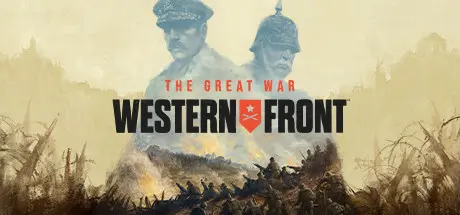
The Great War: Western Front is the definitive World War 1 strategy game from Petroglyph, the makers of Command & Conquer Remastered & Star Wars: Empire at War. Play a deciding role in history with this real-time tactical experience as you take charge in the pivotal Western Front from 1914 to 1919.

Pick your faction and lead your forces to victory, by directing your armies in gritty real-time battles and by guiding high-level decisions in turn-based strategic gameplay. Dig detailed trenches, research new technologies such as poison gas and tanks, and make decisions that will have a profound and lasting effect on your success. Think like a Commander to either relive history - or redefine it.

Discover unparalleled levels of strategic choice as you step into the role of both Theatre Commander and Field Commander.

As Theatre Commander, experience enthralling turn-based grand-strategy as you direct the deployment of forces, perform research and carefully consider how you disseminate your resources across the Western Front in a war won by inches. Alongside this, take up the mantle of Field Commander in dynamic real-time battles as you direct units to defeat your opponent, build trenches and perform direct assaults by sending your infantry over the top. Pick your battles and fight them your way to shape the course of history.

No play through is the same as you make decisions great and small to change the outcome of the war. Introduce new military technologies earlier in the conflict depending on your advancement of the tech tree, or change pivotal moments in history to alter the outcome of the war.

Play your way with four deep and compelling modes. Experience the unfolding saga of World War I in the Campaign, relive iconic moments with Historical Battles, create your own battles in Skirmish or test your strategies against others in memorable Multiplayer action - your journey through this enthralling conflict is unique to you.


Game Screenshots

screenshot screenshot screenshot screenshot


Game Trailer


System Requirements

Minimum Requirements

Recommended Requirements

OS

Windows 10 64bit

Windows 10/11 64bit

Processor

Intel i5-4590 / AMD FX-8350

Intel i5-8600K / AMD Ryzen 5 2600

Memory

8 GB RAM

16 GB RAM

Graphics

NVIDIA GeForce GTX 780 / AMD Radeon R9 390

NVIDIA GeForce GTX 1060 / AMD Radeon RX 580

DirectX

Version 11

Version 11

Storage

13 GB available space

13 GB available space


Installation Guide

  1. No Installation Needed: The game is pre-installed. Just download and extract.

  2. Extract: Right-click the .zip or .rar file and select "Extract Here" or "Extract to folder".

  3. Run: Find ClientLauncherG64.exe inside the folder and run it.

Game Data & Settings

  • Change Language: Edit the file located at steam_settings/Configs.user.ini

Important Notes

DLC List

Added DLCs

The Great War: Western Front Victory Edition Upgrade Pack

Wallpapers

Field Guide

🔥DOWNLOAD AREA🔥

🔹9.28 GB🔹

Select the server you want to download with ZeiLink.

Download

  • Views 1.2k
  • Created
  • Last Reply

Posted Images

Create an account or sign in to comment

Recently Browsing 0

  • No registered users viewing this page.

Account

Navigation

Search

Search

🔎 Search Tip
For exact results, search using "game name" .
Without quotes, results may include unrelated titles.

Configure browser push notifications

Chrome (Android)
  1. Tap the lock icon next to the address bar.
  2. Tap Permissions → Notifications.
  3. Adjust your preference.
Chrome (Desktop)
  1. Click the padlock icon in the address bar.
  2. Select Site settings.
  3. Find Notifications and adjust your preference.
