



Skip to content
View in the app

A better way to browse. Learn more.

ZeiGames

A full-screen app on your home screen with push notifications, badges and more.

To install this app on iOS and iPadOS
  1. Tap the Share icon in Safari
  2. Scroll the menu and tap Add to Home Screen.
  3. Tap Add in the top-right corner.
To install this app on Android
  1. Tap the 3-dot menu (โ‹ฎ) in the top-right corner of the browser.
  2. Tap Add to Home screen or Install app.
  3. Confirm by tapping Install.

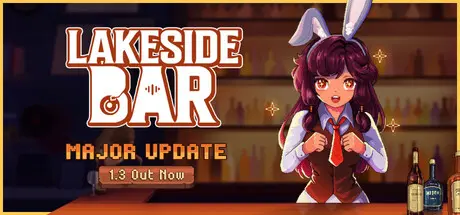
Lakeside Bar Free Download (Build 23800026 + ALL DLC)
Featured Replies

header.webp

Game Details

Release Name:ย Lakeside Bar

Game Version:ย Build 23800026

Release Date: 30 Jul, 2025

Publisher: BITCOVER, CC_Games

Developer: BITCOVER

Based On:ย CSF & Goldberg

Lakeside Bar Direct Download - Game Review

A place to unwind, mix drinks, and serve warm meals to charming guestsโ€”whether in fullscreen or tucked neatly at the bottom of your screen as you go about your day.

Keep your bar stocked, set the perfect table, and welcome your guests with care. After all, the heart of a great bar is the people inside it.

Hire staff to keep things running while you sit back and relax. No rush, no pressureโ€”just the soothing hum of a bar that flows on its own.

And... of course, if the mood strikes, you can always jump in.

Style your bar, set the mood, and make it the coziest spot by the lake. And donโ€™t forget the little yard aboveโ€”itโ€™s yours to decorate and shape however you like.

Grow and harvest crops for fresh bar ingredients, assisted by magical garden spirits. Store your harvest and unlock special hidden menu items.

Special customers are visiting to rate your bar. Serve them well - this bar is yours to run.


Game Screenshots

screenshot screenshot screenshot screenshot


Game Trailer


System Requirements

Minimum Requirements

Recommended Requirements

OS

Windows 10 or newer

-

Processor

Intelยฎ Coreโ„ข i3 @ 3.2 GHZ

-

Memory

4 GB RAM

-

Graphics

Graphics card with DX9

-

DirectX

-

-

Storage

256 MB available space

-


Installation Guide

  1. No Installation Needed: The game is pre-installed. Just download and extract.

  2. Extract: Right-click the .zip or .rar file and select "Extract Here" or "Extract to folder".

  3. Run: Find Lakeside Bar.exe inside the folder and run it.

Game Data & Settings

  • Change Language: Edit the file located at steam_settings/Configs.user.ini

  • Save Data Location: %USERPROFILE%/AppData/LocalLow/BITCOVER/Lakeside Bar/

Important Notes

DLC List

Added DLCs

Lakeside Bar - Summer Time - Soundtrack DLC

Lakeside Bar - Supporter Pack 2

Lakeside Bar - Autumn Jazz DLC (Lakeside Bar - Falling into Autumn - Soundtrackย DLC)

Lakeside Bar - Amber Snowfall - Soundtrack DLC

Lakeside Bar - Supporter Pack

๐Ÿ”ฅDOWNLOAD AREA๐Ÿ”ฅ

๐Ÿ”น527 MB๐Ÿ”น

Select the server you want to download with ZeiLink.

Download

  • Replies 1
  • Views 1.7k
  • Created
  • Last Reply

Top Posters In This Topic

Posted Images

  • DicDale changed the title to Lakeside Bar Free Download (Build 23800026 + ALL DLC)

Create an account or sign in to comment

Recently Browsing 0

  • No registered users viewing this page.

Account

Navigation

Search

Search

๐Ÿ”Ž Search Tip
For exact results, search using "game name" .
Without quotes, results may include unrelated titles.

Configure browser push notifications

Chrome (Android)
  1. Tap the lock icon next to the address bar.
  2. Tap Permissions โ†’ Notifications.
  3. Adjust your preference.
Chrome (Desktop)
  1. Click the padlock icon in the address bar.
  2. Select Site settings.
  3. Find Notifications and adjust your preference.