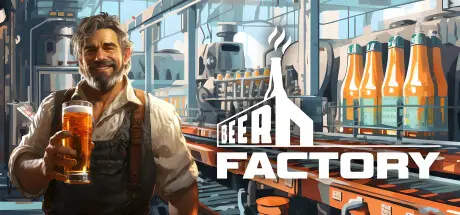
December 22, 2025Dec 22 Beer Factory Game DetailsRelease Name: Beer FactoryGame Version: v89.02 | Build 15087773Release Date: 10 Jan, 2024Publisher: MyceliumGamesDeveloper: MyceliumGamesBased On: CSF & GoldbergBeer Factory Direct Download - Game OverviewBeer Factory is a business simulation and management game. Take the challenge and manage your own beer factory, employees, production lines, as well as the import and export of merchandise.Manufacture usually requires a production line, some resources, storage options, and transportation. In Beer Factory, where your goal will be to produce beer, you will need to import and store the raw materials, refine, brew in tanks, store beer, bottle it and finally send it to the client.When you want to develop your business, nothing will work better than hiring staff to help you with your day-to-day tasks. The employees in your factory can handle most jobs, but it is up to you to tell them what to do. Don't forget to monitor their progress!Every action has a cost and it's up to you to manage your finances. From recruitment to transportation to taxes, the whole finance system in Beer Factory has been designed to be as close to reality as possible.In order to make beer, you need all kinds of machines. Once you have invested in new machinery, you will be able to exploit it, improve it, and use its maximum potential to produce even more! Then you can expand your factory to grow your business into an empire!Beer Factory Screenshots Beer Factory TrailerBeer Factory System Requirements Minimum RequirementsRecommended Requirements OSWindows 10 64-bitWindows 10 64-bit or later ProcessorIntel Core i5-8400 | AMD Ryzen 5 1600Intel Core i7-9700K | AMD Ryzen 5 5600X Memory8 GB RAM16 GB RAM GraphicsNVIDIA GTX 1060 6GB | AMD Radeon RX 580NVIDIA RTX 3060 12GB | AMD Radeon RX 6700 XT DirectXVersion 12Version 12 Storage5 GB available space10 GB available space How to Install Beer FactoryNo Installation Needed: The game is pre-installed. Just download and extract.Extract: Right-click the .zip or .rar file and select "Extract Here" or "Extract to folder".Run: Find Beer_Factory.exe inside the folder and run it.Game Data & SettingsChange Language: Edit the file located at steam_settings/Configs.user.iniSave Data Location: %USERPROFILE%/AppData/Local/Beer_Factory\Important NotesTo support the Game Developer, Get It On Steam.🔥DOWNLOAD AREA🔥🔹1.80 GB🔹Select the server you want to download with ZeiLink.Download





Create an account or sign in to comment