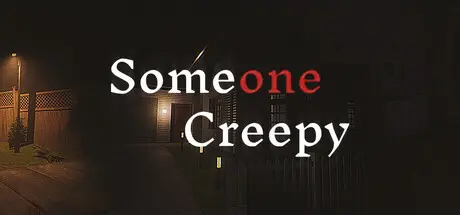
December 21, 2025Dec 21 Someone Creepy Game DetailsRelease Name: Someone CreepyGame Version: Build 19524809Release Date: 1 Aug, 2025Publisher: Darks ZoneDeveloper: SalmonDBased On: CSF & GoldbergSomeone Creepy Direct Download - Game OverviewSomeone Creepy is a horror game about a women who is being stalked by someone and that stalker is going to take big steps to disrupt her life.The story of an office woman who lives in a complex with her friends, she works in an office where she works so diligently that she often falls asleep in her office, but there are things that bother her because she is followed by someone on her way home, in her suspicion the stalker begins to move to destroy her life.Someone Creepy Screenshots Someone Creepy System Requirements Minimum RequirementsRecommended Requirements OSWindows 10, Windows 11 64 bitWindows 10, Windows 11 64 bit ProcessorIntel Core i3 9100fIntel Core i5 11400f Memory16 GB RAM16 GB RAM GraphicsRTX 3050 8GBRTX 4060 8GB DirectXVersion 12Version 12 Storage10 GB available space10 GB available space How to Install Someone CreepyNo Installation Needed: The game is pre-installed. Just download and extract.Extract: Right-click the .zip or .rar file and select "Extract Here" or "Extract to folder".Run: Find SomeoneCreepy.exe inside the folder and run it.Game Data & SettingsChange Language: Edit the file located at steam_settings/Configs.user.iniImportant NotesTo support the Game Developer, Get It On Steam.🔥DOWNLOAD AREA🔥🔹5.16 GB🔹Select the server you want to download with ZeiLink.Download





Create an account or sign in to comment