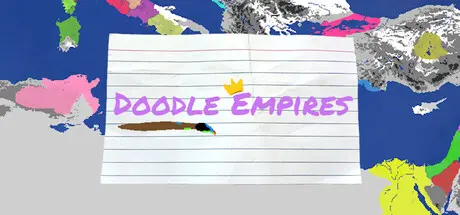
December 16, 2025Dec 16 Doodle Empires Game DetailsRelease Name: Doodle EmpiresGame Version: Build 23388763Release Date: 30 May, 2025Publisher: Turtle Stack GamesDeveloper: Turtle Stack GamesBased On: CSF & GoldbergDoodle Empires Direct Download - Game OverviewDoodle Empires is an alternate history sandbox game all about drawing your own nations with your own histories and stories in a variety of maps. Watch your world take shape and evolve over time, and decide which nations will rise and which nations will fall. 1. Create your first nation by selecting a border color and typing up a name2. Draw the borders of your new nation onto the map, while paying attention to how much drawing power you have left at the top3. Once out of drawing power, click a nation to open the nation inspector, and hit the select button.4. Draw a new card on the top right, which will allow you to alter the selected nation further5. RepeatEXPAND: There are three expand card types, which are small, medium and large expand, and they allow you to grow the borders of your selected nation. NOTE: Expanding into unclaimed territory will be much cheaper than trying to expand into the land of other nationsSPLIT: There are two split card types, which are the regular split and the small split, and both will cause you to carve out a new nation out of a portion of whatever nation you selected bfore drawing the cardUNION: The union card allows your selected nation to fully annex another nation as if part of a royal union or similar treatyNEW NATION: The new nation card will allow you to create a new nation just as you did at the start of the game, which will allow you to make a whole new Origin GroupNEW LEADER: The new leader card will switch out the currently selected nation's leader with a new one with new traits, which will affect how that nation expands its territoryBUILD CASTLE: The build castle card allows players to place and name a castle into the territory of the selected nation, which will then protect the tiles surrounding the castle, and thus make it more costly for other nations to take itFOUND/ADOPT RELIGION: These cards will allow you to create new faiths, or adopt an already existing faith.DIVERGE ORIGIN: This card will create a whole new origin from the selected nationAGE CARDS: The age of conquest, division and unity cards will all make different cards more common over a period of timeDoodle Empires Screenshots Doodle Empires TrailerDoodle Empires System Requirements Minimum RequirementsRecommended Requirements OSWindows 10Windows 11 Processor-- Memory-- Graphics-- DirectX-- Storage-- How to Install Doodle EmpiresNo Installation Needed: The game is pre-installed. Just download and extract.Extract: Right-click the .zip or .rar file and select "Extract Here" or "Extract to folder".Run: Find Doodle Empires.exe inside the folder and run it.Game Data & SettingsChange Language: Edit the file located at steam_settings/Configs.user.iniImportant NotesTo support the Game Developer, Get It On Steam.🔥DOWNLOAD AREA🔥🔹535 MB🔹Select the server you want to download with ZeiLink.Download





Create an account or sign in to comment