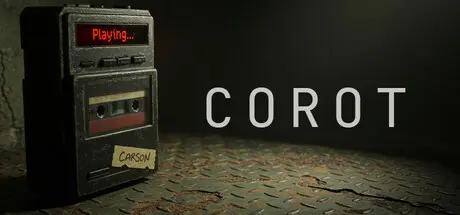
December 13, 2025Dec 13 CoRoT Game DetailsRelease Name: CoRoTGame Version: Build 20994538Release Date: 21 Nov, 2025Publisher: Azteck Game StudiosDeveloper: Azteck Game StudiosBased On: CSF & GoldbergCoRoT Direct Download - Game OverviewWarning: This is no conventional game. It’s a meta-horror experience: play with caution… and don’t trust everything you see.Explore an abandoned home that reacts to your presence. Terror rises from the environment, from the tapes you uncover, and from the certainty that something—or someone—is listening in silence.CoRoT is a first-person psychological horror game: short, intense, and designed for a single session with headphones, in the dark.CoRoT Screenshots CoRoT TrailerCoRoT System Requirements Minimum RequirementsRecommended Requirements OSWindows 10Windows 11 ProcessorIntel Core i5-7400 or AMD Ryzen 5 1400Intel Core i5-9600K or AMD Ryzen 5 3600 Memory8 GB RAM12 GB RAM GraphicsNVIDIA GTX 1650 or AMD Radeon RX 570NVIDIA RTX 2070 or AMD Radeon RX 5700 XT DirectXVersion 12Version 12 Storage12 GB available space12 GB available space How to Install CoRoTNo Installation Needed: The game is pre-installed. Just download and extract.Extract: Right-click the .zip or .rar file and select "Extract Here" or "Extract to folder".Run: Find CoRoT.exe inside the folder and run it.Game Data & SettingsChange Language: Edit the file located at steam_settings/Configs.user.iniImportant NotesTo support the Game Developer, Get It On Steam.🔥DOWNLOAD AREA🔥🔹9.89 GB🔹Select the server you want to download with ZeiLink.Download





Create an account or sign in to comment