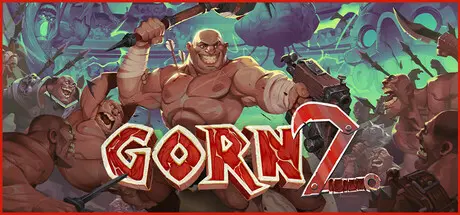
December 11, 2025Dec 11 GORN 2 Game DetailsRelease Name: GORN 2Game Version: Build 21103755Release Date: 17 Apr, 2025Publisher: Devolver DigitalDeveloper: Cortopia, Free LivesBased On: CSF & GoldbergGORN 2 Direct Download - Game Overview GORN 2 is a ludicrous sequel to the hit VR gladiator simulator from Free Lives. It's bigger, wilder, and stronger than ever before, with mighty new weapons to wield, treacherous new traps to avoid, and new power-ups to imbue you with supernatural strength. Enjoy GORN 2's improved VR combat as you battle the five sons of the God of the Afterlife across an array of heavenly realms, with in-your-face combat so irresponsibly violent you'll check your headset for blood spatters when you're done.A BRUTAL GLADIATOR POWER FANTASYEngage in fierce gladiatorial battles powered by an outrageous fully physics-driven combat engine, savagely striking down foes with a bountiful collection of 35 devastating, uniquely violent weapons -- including many monstrous new additions to your gladiator's arsenal.VANQUISH OTHERWORLDLY ENEMIESJourney through a series of heavenly realms populated by the fallen heroes of the original game. Here you'll battle the five sons' champions: powerful bosses primed to unleash fresh challenges upon even the most seasoned, blood-flecked arena veteran.MORE OF ABSOLUTELY EVERYTHINGGORN 2 is everything GORN was but MORE. More weapons, more enemies, more arenas, more traps, more power-ups, and more hilariously over-the-top combat. If you loved the first game, but still feel a raging yearning for more, GORN 2 will sate your blood-thirst.GORN 2 Screenshots GORN 2 TrailerGORN 2 System Requirements Minimum RequirementsRecommended Requirements OSWindows 10 x64 BitWindows 11 x64 Bit ProcessorIntel Core i5-8600K / AMD Ryzen 5 1600Intel Core i5-10600K / AMD Ryzen 7 2700 Memory12 GB RAM16 GB RAM GraphicsGeForce GTX 1060 / Radeon RX 580Geforce RTX 2080 / Radeon RX 5700 XT DirectXVersion 12Version 12 Storage5 GB available space5 GB available space How to Install GORN 2No Installation Needed: The game is pre-installed. Just download and extract.Extract: Right-click the .zip or .rar file and select "Extract Here" or "Extract to folder".Run: Find GORN2.exe inside the folder and run it.Game Data & SettingsChange Language: Edit the file located at steam_settings/Configs.user.iniSave Data Location: %USERPROFILE%/AppData/LocalLow/Cortopia Studios/GORN2Important NotesTo support the Game Developer, Get It On Steam.🔥DOWNLOAD AREA🔥🔹4.09 GB🔹Select the server you want to download with ZeiLink.Download
March 12Mar 12 when i open the game it dont connect to my vr what i do its just on my pc not really connectedcan you show a tutorial how to do it please
March 12Mar 12 what i did was to connect it through steamvr and open the app through the computer Edited March 12Mar 12 by john pirate





Create an account or sign in to comment