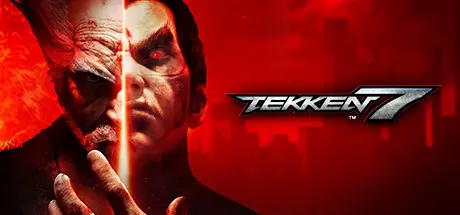
December 9, 2025Dec 9 TEKKEN 7 Game DetailsRelease Name: TEKKEN 7Game Version: v5.10 | Build 10546199Release Date: 1 Jun, 2017Publisher: BANDAI NAMCO EntertainmentDeveloper: BANDAI NAMCO Studios Inc.Based On: CSF & RUNETEKKEN 7 Direct Download - Game OverviewDiscover the epic conclusion of the Mishima clan and unravel the reasons behind each step of their ceaseless fight. Powered by Unreal Engine 4, TEKKEN 7 features stunning story-driven cinematic battles and intense duels that can be enjoyed with friends and rivals alike through innovative fight mechanics.Love, Revenge, Pride. Everyone has a reason to fight. Values are what define us and make us human, regardless of our strengths and weaknesses. There are no wrong motivations, just the path we choose to take.TEKKEN 7 Screenshots TEKKEN 7 TrailerTEKKEN 7 System Requirements Minimum RequirementsRecommended Requirements OSWindows 7/8/10 (64-bit OS required)Windows 7/8/10 (64-bit OS required) ProcessorIntel Core i3-4160 @ 3.60GHz or equivalentIntel Core i5-4690 3.5 GHz or equivalent Memory6 GB RAM8 GB RAM GraphicsNVIDIA GeForce GTX 660 2GB, GTX 750Ti 2GB, or equivalentNVIDIA GeForce GTX 1060 equivalent or higher DirectXVersion 11Version 11 Storage60 GB available space60 GB available space How to Install TEKKEN 7No Installation Needed: The game is pre-installed. Just download and extract.Extract: Right-click the .zip or .rar file and select "Extract Here" or "Extract to folder".Run: Find TEKKEN 7.exe inside the folder and run it.Game Data & SettingsChange Language: Edit the file located at steam_emu.iniImportant NotesTo support the Game Developer, Get It On Steam.DLC ListAdded DLCsTEKKEN 7 - DLC19: Island ParadiseTEKKEN 7 - DLC18: Lidia SobieskaTEKKEN 7 - DLC17: Vermilion GatesTEKKEN 7 - DLC16: KunimitsuTEKKEN 7 - Season Pass 4TEKKEN 7 - DLC15: CAVE OF ENLIGHTENMENTTEKKEN 7 - DLC14: FahkumramTEKKEN 7 - DLC13: Frame Data DisplayTEKKEN 7 - DLC12: Leroy SmithTEKKEN 7 - DLC11: GanryuTEKKEN 7 - DLC10: ZafinaTEKKEN 7 - SP3 Bonus Character Customization ItemsTEKKEN 7 - Season Pass 3TEKKEN 7 - Season Pass 2TEKKEN 7 - Bonus Character Customization ItemsTEKKEN 7 - DLC9 NeganTEKKEN 7 - DLC8 Julia ChangTEKKEN 7 - Armor King (TEKKEN 7 - DLC7: Armor King)TEKKEN 7 - Craig Marduk (TEKKEN 7 - DLC6: Craig Marduk)TEKKEN 7 - DLC5: Lei WulongTEKKEN 7 - DLC4: Anna WilliamsTEKKEN 7 - Character PanelTEKKEN 7 - TAIKO NO TATSUJIN PackTEKKEN 7 DLC 3 Noctis Lucis Caelum PackTEKKEN 7 DLC 2 Geese Howard PackTEKKEN 7 DLC 1 Ultimate TEKKEN BOWL & Additional CostumesTEKKEN 7 - Metallic costumes Season Pass Bonus - DLCTEKKEN 7 - Eliza Pre-order Bonus - DLC (TEKKEN 7 Eliza Character)TEKKEN 7 - Season Pass🔥DOWNLOAD AREA🔥🔹51.89 GB🔹Select the server you want to download with ZeiLink.Download
July 8Jul 8 I run the .exe and it is not installing and shows these errors, please tell me how i can solve this. I exclude the folder on defender and run as administrator but same error is showing.
July 8Jul 8 Author 6 minutes ago, Nabeel said:I run the .exe and it is not installing and shows these errors, please tell me how i can solve this. I exclude the folder on defender and run as administrator but same error is showing.Download directx runtime.





Create an account or sign in to comment