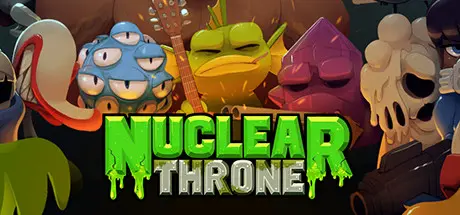
December 9, 2025Dec 9 Nuclear Throne Game DetailsRelease Name: Nuclear ThroneGame Version: vu100r3s | Build 21083236Release Date: 5 Dec, 2015Publisher: VlambeerDeveloper: VlambeerBased On: CSF & GoldbergNuclear Throne Direct Download - Game Overview Nuclear Throne is a post-apocalyptic roguelike-like top-down shooter. Not 'the final hope of humanity' post-apocalyptic, but 'humanity is extinct and mutants and monsters now roam the world' post-apocalyptic. Fight your way through the wastelands with powerful weaponry, collecting radiation to mutate some new limbs and abilities. All these things and more you could do if only you were good at this game. Can you reach the Nuclear Throne?Nuclear Throne Screenshots Nuclear Throne TrailerNuclear Throne System Requirements Minimum RequirementsRecommended Requirements OSWindows XPWindows XP Processor1.2Ghz+2Ghz Memory1024 MB RAM2048 MB RAM Graphics256MB1GB DirectX-- Storage200 MB available space500 MB available space How to Install Nuclear ThroneNo Installation Needed: The game is pre-installed. Just download and extract.Extract: Right-click the .zip or .rar file and select "Extract Here" or "Extract to folder".Run: Find Nuclearthrone.exe inside the folder and run it.Game Data & SettingsChange Language: Edit the file located at steam_settings/Configs.user.iniSave Data Location: %USERPROFILE%/AppData/Local/nuclearthroneImportant NotesTo support the Game Developer, Get It On Steam.🔥DOWNLOAD AREA🔥🔹169 MB🔹Select the server you want to download with ZeiLink.Download





Create an account or sign in to comment