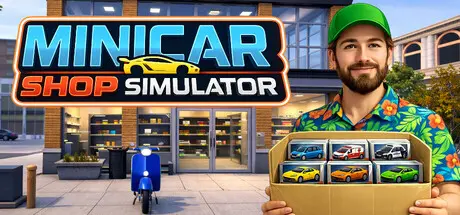
December 4, 2025Dec 4 MiniCar Shop Simulator Game DetailsRelease Name: MiniCar Shop SimulatorGame Version: v1.0.4 | Build 21385891Release Date: 25 Sep, 2025Publisher: Super Duper VibesDeveloper: Super Duper VibesBased On: CSF & GoldbergMiniCar Shop Simulator Direct Download - Game OverviewLive out your childhood dream and run a toy store! And not just any toy store - your store is dedicated to the ultimate toy beloved by children and adults alike - miniature cars! In MiniCar Shop Simulator you will collect and trade toy cars, expand and customize your shop, run deliveries on your scooter, and get up to lots of shenanigans!In MiniCar Shop Simulator there's over 300 unique model cars from 9 different collections from urban and sports cars through utility vehicles, up to military machines and futuristic supercars. Open mystery boxes, find legendary cars, complete your collection, and earn big bucks trading rare models! Not fond of working the register? No problem. Hire a cashier!Every shop can be expanded in size, furnished, and decorated to your liking. With lots of patterns to pick from, custom paint colors, and lots of decorations like neons, posters, and arcade machines there's just no limit in expressing your personality of your establishment! Posh boutique or nerd's paradise - the choice is yours.There's 6 maquette tracks of increasing complexity and difficulty that you can put in your shop, and they're not just there for decoration. You can race against the clock on each of them with every single car available in the game (and each will offer different top speed, acceleration and so on). Try to get all the trophies, but look out for the crazy obstacles!The race tracks are not the only place where you're going to be speeding. Clients will sometimes order from you online, and you'll need to deliver the goods directly to them. Get the required set of cars, pack them up, hop on your trusty scooter and get to the drop-off point as fast as you can. Yes, you can jump off ramps to get over obstacles. And you should.Bored clients dancing in the queue? Being awarded points for lunging an empty box at the recycle bin (or someone's head)? People showing up in just their underwear in your shop on casual Friday? A dinosaur car? A mysterious graffiti? Mopping up barf? The game may be a retail sim, but you can always count on something fun and unexpected to happen.MiniCar Shop Simulator Screenshots MiniCar Shop Simulator TrailerMiniCar Shop Simulator System Requirements Minimum RequirementsRecommended Requirements OSWindows 10Windows 11 ProcessorIntel: Core i5-4670 / Core i3-8100 | AMD: FX-8150 / Ryzen 3 1300XIntel: Core i3-14100 | AMD: Ryzen 5 5500 Memory4 GB RAM8 GB RAM GraphicsNvidia: GeForce GTX 660 2GB / GeForce GTX 1050 2GB | AMD: Radeon R7 265 2GB / Radeon RX 460 2GBNvidia: RTX 3050 4GB | AMD: Radeon RX 6500XT 4GB DirectXVersion 11Version 11 Storage1 GB available space1 GB available space How to Install MiniCar Shop SimulatorNo Installation Needed: The game is pre-installed. Just download and extract.Extract: Right-click the .zip or .rar file and select "Extract Here" or "Extract to folder".Run: Find MiniCar Shop Simulator.exe inside the folder and run it.Game Data & SettingsChange Language: Edit the file located at steam_settings/Configs.user.iniImportant NotesTo support the Game Developer, Get It On Steam.🔥DOWNLOAD AREA🔥🔹831 MB🔹Select the server you want to download with ZeiLink.Download





Create an account or sign in to comment