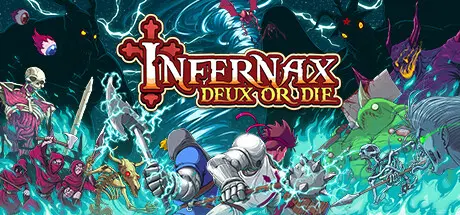
November 29, 2025Nov 29 Infernax Game DetailsRelease Name: InfernaxGame Version: v1.05.017 | Build 20274783Release Date: 14 Feb, 2022Publisher: The Arcade Crew, DotemuDeveloper: Berzerk StudioBased On: CSF & GoldbergInfernax Direct Download - Game OverviewInfernax is the adventures of a great knight who returns to his homeland only to find it plagued with unholy magic.While on your quest to find and destroy the source of this corruption by any means necessary, you will face ruthless creatures, dangerous beasts, and precarious terrains. Smash as many monsters as you can to get some money, spend your savings to buy better weapons and armors from the blacksmith, gear up and get stronger for this journey of smashing even more faces!Every choice you make open up different side quests to obtain powerful weapons and skills or money Storm the Castle and slay their bosses before more innocent fall to the mysterious curse that plagues your land. In the end, only you can rid the land of Upel of these monsters, whichever way you decide to do it; you do you, dude...Return to the lands of Upel as the Duke Alcedor, this time joined by your trusty squire Cervul as you attempt to regain control from the forces that plague your duchy. The new mode is playable as a standard 2-player local co-op or as one player hot-swap mode that allows a single person to control both characters by switching on the fly.Use Cervul's various tools to bring victory, or ruin, to the land and the people that inhabit it in this newly rebalanced version of the game!Infernax Screenshots Infernax TrailerInfernax System Requirements Minimum RequirementsRecommended Requirements OSWindows 7Windows 7 ProcessorIntel Core i3-540 or AMD Phenom II X2 550Intel Core i3-540 or AMD Phenom II X2 550 Memory4 GB RAM4 GB RAM GraphicsNvidia GeForce GT 320, 1GB or AMD Radeon HD 6570, 1GBNvidia GeForce GT 320, 1GB or AMD Radeon HD 6570, 1GB DirectX-- Storage500 MB available space500 MB available space How to Install InfernaxNo Installation Needed: The game is pre-installed. Just download and extract.Extract: Right-click the .zip or .rar file and select "Extract Here" or "Extract to folder".Run: Find Infernax.exe inside the folder and run it.Game Data & SettingsChange Language: Edit the file located at steam_settings/Configs.user.iniSave Data Location: %USERPROFILE%/AppData/LocalLow/Berzerk Studio/InfernaxImportant NotesTo support the Game Developer, Get It On Steam.🔥DOWNLOAD AREA🔥🔹199 MB🔹Select the server you want to download with ZeiLink.Download





Create an account or sign in to comment