



Skip to content
View in the app

A better way to browse. Learn more.

ZeiGames

A full-screen app on your home screen with push notifications, badges and more.

To install this app on iOS and iPadOS
  1. Tap the Share icon in Safari
  2. Scroll the menu and tap Add to Home Screen.
  3. Tap Add in the top-right corner.
To install this app on Android
  1. Tap the 3-dot menu (โ‹ฎ) in the top-right corner of the browser.
  2. Tap Add to Home screen or Install app.
  3. Confirm by tapping Install.

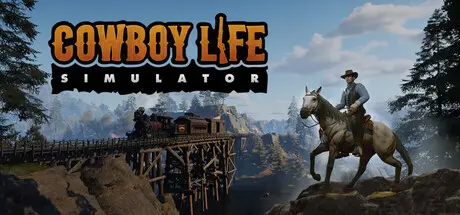
Cowboy Life Simulator Free Download (Build 21054494)
Featured Replies

header.webp

Game Details

Release Name:ย Cowboy Life Simulator

Game Version:ย Build 21054494

Release Date: 26 Nov, 2025

Publisher: RockGame S.A.

Developer: Odd Qubit

Based On:ย CSF & Goldberg

Cowboy Life Simulator Direct Download - Game Review

Cowboy Life Simulator is an immersive and relaxing single-player Wild West ranching simulator. Step into the boots of a stressed-out businessman who, after a failed venture, decides to change his life and buys a farm in the Wild West. Purchase your first goat and a bag of grain, get to know the local community, and explore diverse, vibrant locations.
Run your ranch and discover what this wild frontier has to offer!

  • Immersive Open World โ€“ Travel across a map filled with diverse locations, uncover its secrets, and face challenges.

  • Ranch Building โ€“ Build your own ranch, construct utility buildings, farms, and decorations.

  • Farming & Animal Caretaking โ€“ Plant, tend to, and harvest over 20 different crops, and take care of your farm animals.

  • Crafting โ€“ Create essential items for survival and ranch management.

  • Decorating โ€“ Decorate your home to your taste with everyday items like an axe or cans of food.

  • Engaging Storylines โ€“ Dive into the extensive history of Bravestand and its surroundings, getting to know your neighbors, near and far, through engaging quests.

  • Interesting Characters โ€“ Chat with colorful Wild West inhabitants and become part of the local community.

  • Mysteries to Unfold โ€“ Discover the secrets and dilemmas of Bravestand's residents and find out what awaits you in even the most distant corners of the map.

  • Sophisticated Progression โ€“ Develop your character's skills and level up in the unique Farm, Fame, Frontier experience system.

  • Light Survival โ€“ Collect resources scattered across the map and pay attention to your character's needs.

  • Combat โ€“ Shoot various available weapons, upgrade them, and use them to fight animals and gangs terrorizing the area.


Game Screenshots

screenshot screenshot screenshot screenshot


Game Trailer


System Requirements

Minimum Requirements

Recommended Requirements

OS

Windows 10

Windows 10

Processor

Intel Core i5-8400 / AMD Ryzen 5 2600

Intel Core i7-8700 /AMD Ryzen 7 2700

Memory

8 GB RAM

16 GB RAM

Graphics

GeForce GTX 1070 8GB or Radeon equivalent

GeForce RTX 3060 8GB or Radeon equivalent

DirectX

-

-

Storage

15 GB available space

15 GB available space


Installation Guide

  1. No Installation Needed: The game is pre-installed. Just download and extract.

  2. Extract: Right-click the .zip or .rar file and select "Extract Here" or "Extract to folder".

  3. Run: Find CowBoyBeta.exe inside the folder and run it.

Game Data & Settings

  • Change Language: Edit the file located at steam_settings/Configs.user.ini

  • Save Data Location: %USERPROFILE%/AppData/Local/CowBoyBeta/Saved/SaveGames

Important Notes

๐Ÿ”ฅDOWNLOAD AREA๐Ÿ”ฅ

๐Ÿ”น6.81 GB๐Ÿ”น

Select the server you want to download with ZeiLink.

Download

  • Views 1.5k
  • Created
  • Last Reply

Posted Images

Create an account or sign in to comment

Recently Browsing 0

  • No registered users viewing this page.

Account

Navigation

Search

Search

๐Ÿ”Ž Search Tip
For exact results, search using "game name" .
Without quotes, results may include unrelated titles.

Configure browser push notifications

Chrome (Android)
  1. Tap the lock icon next to the address bar.
  2. Tap Permissions โ†’ Notifications.
  3. Adjust your preference.
Chrome (Desktop)
  1. Click the padlock icon in the address bar.
  2. Select Site settings.
  3. Find Notifications and adjust your preference.
