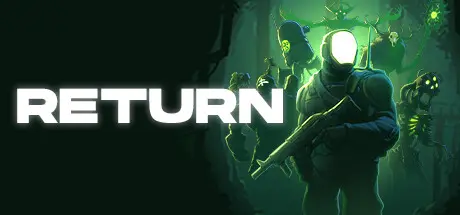
November 26, 2025Nov 26 Return Game DetailsRelease Name: ReturnGame Version: v1.2.1 | Build 12775182Release Date: 29 May, 2023Publisher: Dead UnicornDeveloper: Dead UnicornBased On: CSF & GoldbergReturn Direct Download - Game OverviewYou left the planet 200 years ago in search of a new life on the colonies, now you've returned against your will and must fight to survive in the post-apocalyptic world you once called home.As you explore the world, you'll encounter different enemies and bosses soaked with lore. Slaying them can reward you with new grimoire, relic era currency, parts for your ship, and mysterious treasures.Your home has mutated and evolved since you've been gone. Explore the vast ruins of the city to the desolate valleys of the wasteland and uncover secrets of the past and present.On your journey you'll make new friends who can reward your efforts of bravery and meet merchants who will sell you important items and weapons in exchange for the spoils of your adventure.Purchase, unlock, and upgrade powerful new weapons to fight enemies. Keep your favorite weapons and upgrade them throughout the game with mastery points.Return Screenshots Return System Requirements Minimum RequirementsRecommended Requirements OSWindows 7Windows 7 or Later Processor2.0 GHz3.0 GHz Memory3 GB RAM4 GB RAM GraphicsGeForce 9800GTX+ (1GB)GeForce GTX 560 DirectXVersion 10Version 10 Storage3 GB available space4 GB available space How to Install ReturnNo Installation Needed: The game is pre-installed. Just download and extract.Extract: Right-click the .zip or .rar file and select "Extract Here" or "Extract to folder".Run: Find Return.exe inside the folder and run it.Game Data & SettingsChange Language: Edit the file located at steam_settings/Configs.user.iniImportant NotesTo support the Game Developer, Get It On Steam.DLC ListAdded DLCsReturn Artbook🔥DOWNLOAD AREA🔥🔹1.47 GB🔹Select the server you want to download with ZeiLink.Download





Create an account or sign in to comment