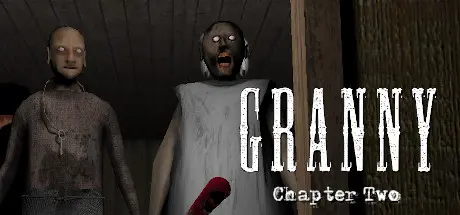
November 25, 2025Nov 25 Granny: Chapter Two Game DetailsRelease Name: Granny: Chapter TwoGame Version: v1.2.1 | Build 12939902Release Date: 30 Dec, 2019Publisher: DVloperDeveloper: DVloperBased On: CSF & GoldbergGranny: Chapter Two Direct Download - Game OverviewWelcome to Granny: Chapter Two.Now it's time again!You have now been moved from Granny`s old house to her love Grandpa`s house.You wake up in another dark moisty room, you feel dizzy after the bumpy car ride and you have a headache.The main door is covered with different locks and you have to search the house and find items to unlock them and the door and escape this house.But you have to be careful because Granny hears everything as usual and Grandpa also wanders around the dark house but he doesn't hear very well, but if he sees you then it's best to run.There is also a creepy little creature in the back of the house that Granny and Grandpa adore.As usual if you drop something on the floor or walking on a creaking floor Granny will start running to the place she heard that sound.You also need to watch out for her bear traps.You can hide under beds or in wardrobes but be careful that they does not see you when you are hiding.Granny: Chapter Two Screenshots Granny: Chapter Two TrailerGranny: Chapter Two System Requirements Minimum RequirementsRecommended Requirements OSWindows 7,8,10- ProcessorIntel Core TM i5 750- Memory4 GB RAM- GraphicsSapphire Radeon HD 5770 1GB- DirectX-- Storage870 MB available space- How to Install Granny: Chapter TwoNo Installation Needed: The game is pre-installed. Just download and extract.Extract: Right-click the .zip or .rar file and select "Extract Here" or "Extract to folder".Run: Find Granny Chapter Two.exe inside the folder and run it.Game Data & SettingsChange Language: Edit the file located at steam_settings/Configs.user.iniImportant NotesTo support the Game Developer, Get It On Steam.🔥DOWNLOAD AREA🔥🔹465.40 MB🔹Select the server you want to download with ZeiLink.Download





Create an account or sign in to comment