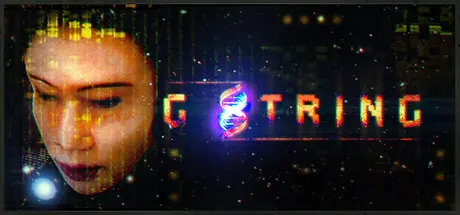
November 22, 2025Nov 22 G String Game DetailsRelease Name: G StringGame Version: Build 20863847Release Date: 16 Oct, 2020Publisher: EyauraDeveloper: EyauraBased On: CSFG String Direct Download - Game OverviewThis is a cyberpunk inspired first person shooter with light environmental puzzles and a long, detailed singleplayer campaign focused on story and world building. G-String aims for an old school approach where there is minimal hand holding and your biosuit automatically keeps track of your health stats, ammunition count and armor condition.You need supplies to heal yourself, replenish your ammo/armor but your suit automatically takes care of your lights, sprinting and breathing (open air and underwater). Your on-board neuro-enhancers, air filters and light sources automatically recharge using movement and/or sunlight.Courtesy of Bortz Bioengineering your biosuit is very resilient but you do have to be careful: prolonged exposure to toxins will lead to fatal failure! You need to watch out for all sorts of environmental hazards, especially later on when the pace picks up considerably.Your telekinetic/pyrokinetic abilities will be available from the start and throughout most of the game, they should be enough to make progress until there are more means of input available. Worthy to note that initially your night-vision will be disabled as your biosuit was damaged presumably in earlier lab experiments.Despite the title Myo never comes across any explicit mature situations. If she wants she can also find ways around some of the fights as well. The game responds to her behavior: the less aggressive she is the less enemies she is likely to encounter down the line. As long time fans know G-String took well over a decade to complete because it was a solo project for the most part; all assets and the lore had to be developed from scratch.My sincere hope is that this does not impact the game's quality, scope and scale negatively. From the slums of Greater Chinatown to Low Orbit Earth and Beyond your adventure will take you through several distinct locations. No important story elements were cut and the game was not divided into episodes- yet another reason why development took long.G String Screenshots G String TrailerG String System Requirements Minimum RequirementsRecommended Requirements OSWindows VistaWindows 11/10/8.1/7 ProcessorIntel core 2 duo 2.4GHz or higher3.0 GHz P4, Dual Core 2.0 (or higher) or AMD64X2 (or higher) Memory4 GB RAM8 GB RAM Graphics512 MB of memory or more. Requires support for Shader Model 2.Dedicated graphics card with 1024 MB of memory or more. Should have support for Shader Model 3. DirectXVersion 9.0cVersion 9.0c Storage15 GB available space15 GB available space How to Install G StringNo Installation Needed: The game is pre-installed. Just download and extract.Extract: Right-click the .zip or .rar file and select "Extract Here" or "Extract to folder".Run: Find gstring launcher.bat inside the folder and run it.Game Data & SettingsSave Data Location: */saveImportant NotesTo support the Game Developer, Get It On Steam.🔥DOWNLOAD AREA🔥🔹9.61 GB🔹Select the server you want to download with ZeiLink.Download





Create an account or sign in to comment