



Skip to content
View in the app

A better way to browse. Learn more.

ZeiGames

A full-screen app on your home screen with push notifications, badges and more.

To install this app on iOS and iPadOS
  1. Tap the Share icon in Safari
  2. Scroll the menu and tap Add to Home Screen.
  3. Tap Add in the top-right corner.
To install this app on Android
  1. Tap the 3-dot menu (โ‹ฎ) in the top-right corner of the browser.
  2. Tap Add to Home screen or Install app.
  3. Confirm by tapping Install.

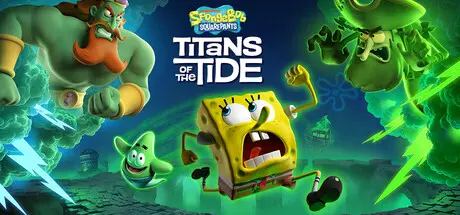
SpongeBob SquarePants: Titans of the Tide Free Download (v1.2.0.0 + ALL DLC)
Featured Replies

header.webp

Game Details

Release Name:ย SpongeBob SquarePants: Titans of the Tide

Game Version:ย v1.2.0.0 | Build 20705527

Release Date: 18 Nov, 2025

Publisher: THQ Nordic

Developer: Purple Lamp

Based On:ย CSF & Goldberg

SpongeBob SquarePants: Titans of the Tide Direct Download - Game Review

How do you stop the two biggest egos of the Seven Seas from fighting? A clash between the Flying Dutchman and King Neptune has unleashed ghostly mayhem all over Bikini Bottom. SpongeBob and Patrick will need all their skills, bravery and - dare I say - wit, to return life to what passes for normal in their undersea home. Join Bikini Bottom's most notorious duo on their ghostliest adventure yet!

Switch seamlessly between SpongeBob and Patrick

ย Combine SpongeBob and Patrick's unique platforming skills

ย Master Patrick's brand-new skills like grappling and burrowing

ย Experience a new ghostly story

ย Fully voiced by the original cast of the show

ย Visit iconic locations like Neptune's Palace and Mount Bikini

ย Battle epic bosses like the Flying Dutchman, King Neptune and Hibernation Sandy


Game Screenshots

screenshot screenshot screenshot screenshot


Game Trailer


System Requirements

Minimum Requirements

Recommended Requirements

OS

Windows 10

Windows 11

Processor

Ryzen 3 1300X / Core i5-3570k

Ryzen 5 5600X / Core i5-12400

Memory

8 GB RAM

16 GB RAM

Graphics

GeForce GTX 1050 Ti / Radeon RX 470

GeForce RTX 3060 / Radeon RX 6600XT / Arc B580

DirectX

Version 11

Version 11

Storage

11 GB available space

11 GB available space


Installation Guide

  1. No Installation Needed: The game is pre-installed. Just download and extract.

  2. Extract: Right-click the .zip or .rar file and select "Extract Here" or "Extract to folder".

  3. Run: Find Ghost.exe inside the folder and run it.

Game Data & Settings

  • Change Language: Edit the file located at steam_settings/Configs.user.ini

  • Save Data Location: %USERPROFILE%/AppData/Local/Ghost/Saved/

Important Notes

DLC List

Added DLCs

SpongeBob SquarePants: Titans of the Tide - Plankton's Portal Challenge DLC

SpongeBob SquarePants: Titans of the Tide - Tidal Season Pass

SpongeBob SquarePants: Titans of the Tide - Natural Costume Pack

๐Ÿ”ฅDOWNLOAD AREA๐Ÿ”ฅ

๐Ÿ”น8.38 GB๐Ÿ”น

Select the server you want to download with ZeiLink.

Download

  • 6 months later...
  • Replies 2
  • Views 1.6k
  • Created
  • Last Reply

Top Posters In This Topic

Posted Images

Is there a way to change the languages in the files, if yes where?

Create an account or sign in to comment

Recently Browsing 0

  • No registered users viewing this page.

Account

Navigation

Search

Search

๐Ÿ”Ž Search Tip
For exact results, search using "game name" .
Without quotes, results may include unrelated titles.

Configure browser push notifications

Chrome (Android)
  1. Tap the lock icon next to the address bar.
  2. Tap Permissions โ†’ Notifications.
  3. Adjust your preference.
Chrome (Desktop)
  1. Click the padlock icon in the address bar.
  2. Select Site settings.
  3. Find Notifications and adjust your preference.
