



Skip to content
View in the app

A better way to browse. Learn more.

ZeiGames

A full-screen app on your home screen with push notifications, badges and more.

To install this app on iOS and iPadOS
  1. Tap the Share icon in Safari
  2. Scroll the menu and tap Add to Home Screen.
  3. Tap Add in the top-right corner.
To install this app on Android
  1. Tap the 3-dot menu (โ‹ฎ) in the top-right corner of the browser.
  2. Tap Add to Home screen or Install app.
  3. Confirm by tapping Install.

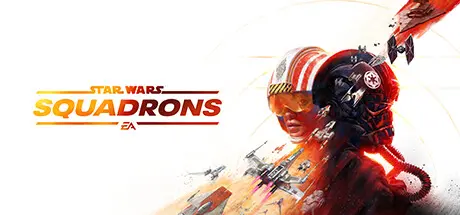
STAR WARS: Squadrons Free Download (v1.0.10.39591)
Featured Replies

header.webp

Game Details

Release Name:ย STAR WARS: Squadrons

Game Version:ย v1.0.10.39591

Release Date: 1 Oct, 2020

Publisher: Electronic Arts

Developer: MOTIVE

Based On:ย voices38

STAR WARS: Squadrons Direct Download - Game Review

Master the art of starfighter combat in the authentic piloting experience STAR WARSโ„ข: Squadrons. Buckle up and feel the adrenaline of first-person, multiplayer space dogfights alongside your squadron. Pilots who enlist will step into the cockpits of starfighters from both the New Republic and Imperial fleets and fight in strategic 5v5 space battles. Modify your starfighter, and adjust the composition of your squadron to suit varying playstyles and crush the opposition. Pilots will triumph as a team and complete tactical objectives across known and never-before-seen battlefields, including the gas giant of Yavin Prime and the shattered moon of Galitan. Take control of starfighters such as the X-wing and TIE fighter. Customize loadouts and cosmetics. Divert power between weapons, shields, and engines while immersing yourself in the cockpit. In addition, players will have the option to play the entirety of the game in virtual reality (VR)!

The cockpit is your home. Use its dashboards to your advantage and โ€” with just a thin hull of metal and glass between you and the perils of space โ€” feel the intensity of combat from a first-person perspective. Take off in thrilling multiplayer modes and a unique single-player STAR WARS story. Immerse yourself in the pilotโ€™s seat completely with the option to play the entirety of STAR WARS: Squadrons in VR.


Game Screenshots

screenshot screenshot screenshot screenshot


Game Trailer


System Requirements

Minimum Requirements

Recommended Requirements

OS

Windows 10 64-bit

Windows 10 64-bit

Processor

Ryzen 3 1300X or better/i5 6600k or better

Ryzen 7 2700X or better/ i7-7700 or better

Memory

8 GB RAM

16 GB RAM

Graphics

Radeon HD 7850 or better/GeForce GTX 660 or better

Radeon RX 480 (Non-VR/Minimum VR) or Radeon RX 570 (Recommended VR)/GeForce GTX 1060(Non-VR/Minimum VR) or GeForce GTX 1070 (Recommended VR)

DirectX

Version 11

Version 11

Storage

40 GB available space

40 GB available space


Installation Guide

  1. No Installation Needed: The game is pre-installed. Just download and extract.

  2. Extract: Right-click the .zip or .rar file and select "Extract Here" or "Extract to folder".

  3. Run: Find starwarssquadrons.exe inside the folder and run it.

Game Data & Settings

  • Change Language: Edit the file located at anadius.cfg

  • Save Data Location: %USERPROFILE%/My Documents/STAR WARS Squadrons Steam/settings

Important Notes

๐Ÿ”ฅDOWNLOAD AREA๐Ÿ”ฅ

๐Ÿ”น30.33 GB๐Ÿ”น

Select the server you want to download with ZeiLink.

Download

  • Views 880
  • Created
  • Last Reply

Posted Images

Create an account or sign in to comment

Recently Browsing 0

  • No registered users viewing this page.

Account

Navigation

Search

Search

๐Ÿ”Ž Search Tip
For exact results, search using "game name" .
Without quotes, results may include unrelated titles.

Configure browser push notifications

Chrome (Android)
  1. Tap the lock icon next to the address bar.
  2. Tap Permissions โ†’ Notifications.
  3. Adjust your preference.
Chrome (Desktop)
  1. Click the padlock icon in the address bar.
  2. Select Site settings.
  3. Find Notifications and adjust your preference.
