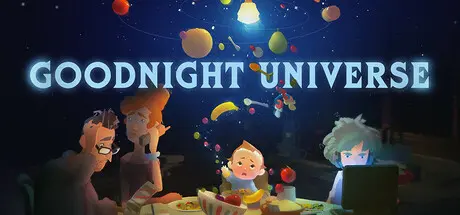
November 14, 2025Nov 14 Goodnight Universe Game DetailsRelease Name: Goodnight UniverseGame Version: vv1.0.1 | Build 20703427Release Date: 11 Nov, 2025Publisher: Skybound GamesDeveloper: Nice DreamBased On: CSF & GoldbergGoodnight Universe Direct Download - Game OverviewFrom the creators of Before Your Eyes.You are Isaac, a 6-month-old baby, developing mysterious psychic powers. What you want most is to be loved and accepted by your family, but a secretive tech corporation wants you for their own. The game features an immersive “camera as controller” mode, expanding on the innovative use of camera-based technology that the development team is known for.Goodnight Universe Screenshots Goodnight Universe TrailerGoodnight Universe System Requirements Minimum RequirementsRecommended Requirements OSWindows 7 64-bit and aboveWindows 10 64-bit ProcessorAMD Athlon X4 880K 4Ghz or Intel Pentium G4500 3.5GhzAMD Ryzen 1500X 3.5Ghz or equivalent Memory8 GB RAM8 GB RAM GraphicsIntel HD Graphics 520 or AMD Radeon Vega Integrated GraphicsAMD RX 480, NVIDIA GTX 970, 4 GB of Video Memory and above DirectX-- Storage5 GB available space5 GB available space How to Install Goodnight UniverseNo Installation Needed: The game is pre-installed. Just download and extract.Extract: Right-click the .zip or .rar file and select "Extract Here" or "Extract to folder".Run: Find Goodnight Universe.exe inside the folder and run it.Game Data & SettingsChange Language: Edit the file located at steam_settings/Configs.user.iniImportant NotesTo support the Game Developer, Get It On Steam.🔥DOWNLOAD AREA🔥🔹4.47 GB🔹Select the server you want to download with ZeiLink.Download





Create an account or sign in to comment