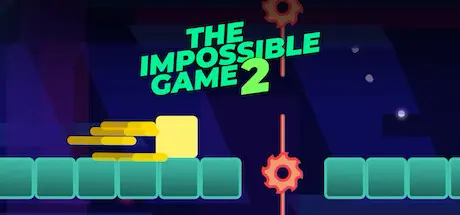
November 11, 2025Nov 11 The Impossible Game 2 Game DetailsRelease Name: The Impossible Game 2Game Version: v1.2.5 | Build 12026416Release Date: 11 Sep, 2023Publisher: Fluke GamesDeveloper: Fluke GamesBased On: CSF & GoldbergThe Impossible Game 2 Direct Download - Game OverviewThe platformer that no one could beat is back, this time with online battle royale, a level editor and more.ALL-NEW LEVELS featuring awesome music and crazy new mechanics like guns and portals. Tap to jump, fly and shoot your way through four worlds, each with a unique theme and an intense boss battle.ONLINE BATTLE ROYALE with up to sixty players at once. Will you come out on top?DESIGN YOUR OWN LEVELS with an easy-to-use level editor containing (almost) every mechanic seen in the rest of the game. Infinite possibilities await!AN AWESOME SOUNDTRACK featuring music from Panda Eyes, Nitro Fun, MDK and many more.There are no in-app purchases. All levels and items come included with the game!The Impossible Game 2 Screenshots The Impossible Game 2 TrailerThe Impossible Game 2 System Requirements Minimum RequirementsRecommended Requirements OSWindows 10 64-bit- ProcessorIntel Pentium 4- Memory512 MB RAM- Graphics-- DirectX-- Storage1 GB available space- How to Install The Impossible Game 2No Installation Needed: The game is pre-installed. Just download and extract.Extract: Right-click the .zip or .rar file and select "Extract Here" or "Extract to folder".Run: Find The Impossible Game 2-win32-x64/The Impossible Game 2.exe inside the folder and run it.Game Data & SettingsChange Language: Edit the file located at steam_settings/Configs.user.iniImportant NotesTo support the Game Developer, Get It On Steam.🔥DOWNLOAD AREA🔥🔹250 MB🔹Select the server you want to download with ZeiLink.Download
August 8Aug 8 2 hours ago, babyorder said:Pls Reupload@DicDale links are dead Edited August 8Aug 8 by ZENKAI Feel free to ask anything ;)the GOD.





Create an account or sign in to comment