



Skip to content
View in the app

A better way to browse. Learn more.

ZeiGames

A full-screen app on your home screen with push notifications, badges and more.

To install this app on iOS and iPadOS
  1. Tap the Share icon in Safari
  2. Scroll the menu and tap Add to Home Screen.
  3. Tap Add in the top-right corner.
To install this app on Android
  1. Tap the 3-dot menu (โ‹ฎ) in the top-right corner of the browser.
  2. Tap Add to Home screen or Install app.
  3. Confirm by tapping Install.

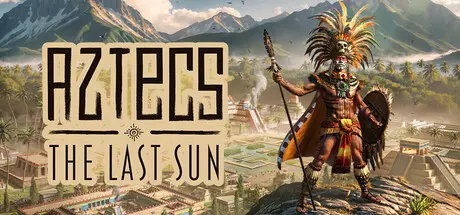
Aztecs: The Last Sun Free Download (v0.4.1 + ALL DLC)
Featured Replies

header.webp

Game Details

Release Name:ย Aztecs: The Last Sun

Game Version:ย v0.4.1 | Build 20677780

Release Date: 22 May, 2026

Publisher: Toplitz Productions

Developer: Play2Chill S.A.

Based On:ย CSF & Goldberg

Aztecs: The Last Sun Direct Download - Game Review

Take on the role of the Tlatoani, the divine ruler of Tenochtitlรกn. Build your city upon the waters of Lake Texcoco, lead your people to glory, and bring the long war against the Moon Goddess to its final reckoning.

  • Construct over 25 unique building types, each upgradeable across four levels except the Story-Exclusive ones.

  • Terraform Lake Texcoco, dig canals, and reclaim precious land from the marsh.

  • Raise divine monuments, academies, and gardens.

  • Perform rituals and human sacrifices to earn divine protection

  • Answer the gods' offerings when they come for tribute. Fail them and risk losing godly Grace!

  • Balance the favor of the gods, your economy, and survival itself

  • Face the Moon Goddess and her generals in a story-driven campaign.

  • Discover the ancient Sun Pillar and raise its modules to push back her power, and see the sun again

  • Confront her at last in a showdown for the fate of Tenochtitlรกn

  • Send expeditions across the strategic map, secure resources, and establish trade routes

  • Recruit new citizens from distant settlements and the port city

  • Expand your power beyond the borders of Tenochtitlรกn

  • Campaign: the full story across four difficulties: Relaxed, Story, Adventure, and the punishing Doom.

  • Sandbox: keep the survival challenge, drop the story. Build, defend, and outlast the night with limitless resources.

  • Creative: pure city-building. No economy, no threats. Unlock the full roster of buildings by surviving nights in the other modes, and use the Photo Mode to capture your built city in all its splendor.


Game Screenshots

screenshot screenshot screenshot screenshot


Game Trailer


System Requirements

Minimum Requirements

Recommended Requirements

OS

Windows 10 (x64)

Windows 11 (x64)

Processor

Intel Core i5-4570 or AMD Ryzen 3 1300X

Intel Core i7-11700K or AMD Ryzen 7 5800

Memory

16 GB RAM

16 GB RAM

Graphics

NVIDIA GeForce GTX 780, 6 GB or AMD Radeon RX 580, 8 GB or Intel Arc A580, 8 GB

NVIDIA GeForce RTX 2070 SUPER, 8 GB or AMD Radeon 6700, 10 GB or Intel Arc A770, 8 GB

DirectX

Version 11

Version 11

Storage

10 GB available space

10 GB available space


Installation Guide

  1. No Installation Needed: The game is pre-installed. Just download and extract.

  2. Extract: Right-click the .zip or .rar file and select "Extract Here" or "Extract to folder".

  3. Run: Find ATLS.exe inside the folder and run it.

Game Data & Settings

  • Change Language: Edit the file located at steam_settings/Configs.user.ini

  • Save Data Location: %USERPROFILE%/AppData/LocalLow/Play2ChillSA/AztecsTheLastSun/Saves

Important Notes

DLC List

Added DLCs

Aztecs: The Last Sun - Official Cookbook

Aztecs: The Last Sun - Official Companion

Aztecs: The Last Sun - Digital Supporter Pack

๐Ÿ”ฅDOWNLOAD AREA๐Ÿ”ฅ

๐Ÿ”น4.55 GB๐Ÿ”น

Select the server you want to download with ZeiLink.

Download

  • Views 812
  • Created
  • Last Reply

Posted Images

Create an account or sign in to comment

Recently Browsing 0

  • No registered users viewing this page.

Account

Navigation

Search

Search

๐Ÿ”Ž Search Tip
For exact results, search using "game name" .
Without quotes, results may include unrelated titles.

Configure browser push notifications

Chrome (Android)
  1. Tap the lock icon next to the address bar.
  2. Tap Permissions โ†’ Notifications.
  3. Adjust your preference.
Chrome (Desktop)
  1. Click the padlock icon in the address bar.
  2. Select Site settings.
  3. Find Notifications and adjust your preference.
