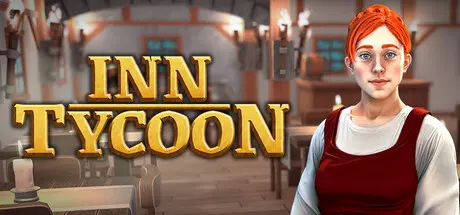
November 9, 2025Nov 9 Inn Tycoon Game DetailsRelease Name: Inn TycoonGame Version: v42 | Build 20713946Release Date: 7 Nov, 2025Publisher: GameDev.ist, Gamersky GamesDeveloper: Evil Goose GamesBased On: CSF & GoldbergInn Tycoon Direct Download - Game OverviewEmbark on a soothing journey to the medieval ages with Inn Tycoon – a chill and relaxing game where you shape the serenity of a bygone era. Delicious meals and ice-cold beverages await your service to customers. Increase reputation with various room options and customized furniture. Your dream inn awaits you to experience this magnificent atmosphere.Recruit a team of skilled staff to ensure your inn runs like clockwork. From chefs and maids to entertainers, each employee plays a crucial role in creating a seamless and enjoyable stay for your guests. Your customers might be impatient, be careful not to upset them. Remember, Quality Service = Good Tips.Sometimes a cold snowy day, sometimes scorching heat. The frequently changing weather will be felt inside the inn as well. You’ll need to adapt to unexpected situations and handle the varying demands of your customers.You’ll be able to organize events and festivals with the fame you’ve gained. Experience chill and relaxing inn management while hearing the music and laughter echoing through the walls.Inn Tycoon Screenshots Inn Tycoon TrailerInn Tycoon System Requirements Minimum RequirementsRecommended Requirements OSWindows® 10 Home 64 BitWindows® 10 Home 64 Bit | Windows® 11 ProcessorIntel Core i3 6100Intel® Core™ i7-6700K | AMD® Ryzen™ 7 2700X Memory8 GB RAM16 GB RAM GraphicsNvidia® GeForce™ GTX 970 (4 GB) | AMD® Radeon™ RX 480 (8 GB)Nvidia® GeForce™ GTX 1070 (8 GB) | AMD® Radeon™ RX 5600 XT (8 GB) DirectXVersion 11Version 11 Storage2 GB available space2 GB available space How to Install Inn TycoonNo Installation Needed: The game is pre-installed. Just download and extract.Extract: Right-click the .zip or .rar file and select "Extract Here" or "Extract to folder".Run: Find Inn Tycoon.exe inside the folder and run it.Game Data & SettingsChange Language: Edit the file located at steam_settings/Configs.user.iniSave Data Location: %USERPROFILE%/AppData/LocalLow/EGGames/Inn TycoonImportant NotesTo support the Game Developer, Get It On Steam.🔥DOWNLOAD AREA🔥🔹3.30 GB🔹Select the server you want to download with ZeiLink.Download





Create an account or sign in to comment