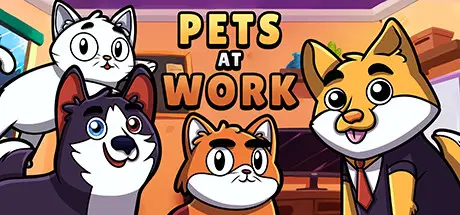
November 9, 2025Nov 9 Pets at Work Game DetailsRelease Name: Pets at WorkGame Version: v4.5/v1.1.7 | Build 9308427Release Date: 28 Feb, 2022Publisher: Nibb GamesDeveloper: Nibb Games, Guimaraf StudioBased On: CSF & GoldbergPets at Work Direct Download - Game OverviewSome pets got lost from their owners in an office and now need to work together, using boxes, mats, buttons, climb on shelves and tables or just make a mess trying to find them in this colorful local co-op game!Pets at Work Screenshots Pets at Work TrailerPets at Work System Requirements Minimum RequirementsRecommended Requirements OSWindows 7- Processor2.0 GHz- Memory2 GB RAM- Graphics512mb- DirectX-- Storage200 MB available space- How to Install Pets at WorkNo Installation Needed: The game is pre-installed. Just download and extract.Extract: Right-click the .zip or .rar file and select "Extract Here" or "Extract to folder".Run: Find Pets at Work.exe inside the folder and run it.Game Data & SettingsChange Language: Edit the file located at steam_settings/Configs.user.iniSave Data Location: %USERPROFILE%/AppData/Local/PetsatWork/User Data/Default/IndexedDB/Important NotesTo support the Game Developer, Get It On Steam.🔥DOWNLOAD AREA🔥🔹108 MB🔹Select the server you want to download with ZeiLink.Download





Create an account or sign in to comment