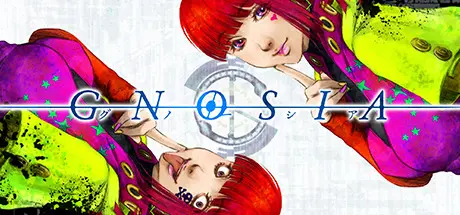
November 7, 2025Nov 7 GNOSIA Game DetailsRelease Name: GNOSIAGame Version: Build 20264817Release Date: 23 Jan, 2022Publisher: PLAYISMDeveloper: Petit DepottoBased On: CSF & GoldbergGNOSIA Direct Download - Game Overview The Gnosia lie. Pretending to be human, they’ll get in close, trick and deceive, and then eliminate one victim at a time...The crew of a drifting spaceship, facing off against a mysterious and deadly threat known as the “Gnosia” and having no idea who among them is really the enemy, formulate a desperate plan for survival. The most suspicious among them will be put into “cold sleep” one by one, in an effort to rid the ship of Gnosia.GNOSIA Screenshots GNOSIA TrailerGNOSIA System Requirements Minimum RequirementsRecommended Requirements OSWindows 7/8/8.1/10 (32bit/64bit)- ProcessorIntel Core i5- Memory4 GB RAM- Graphics-- DirectX-- Storage1 GB available space- How to Install GNOSIANo Installation Needed: The game is pre-installed. Just download and extract.Extract: Right-click the .zip or .rar file and select "Extract Here" or "Extract to folder".Run: Find Gnosia.exe inside the folder and run it.Game Data & SettingsChange Language: Edit the file located at steam_settings/Configs.user.iniImportant NotesTo support the Game Developer, Get It On Steam.🔥DOWNLOAD AREA🔥🔹615.36 MB🔹Select the server you want to download with ZeiLink.Download





Create an account or sign in to comment