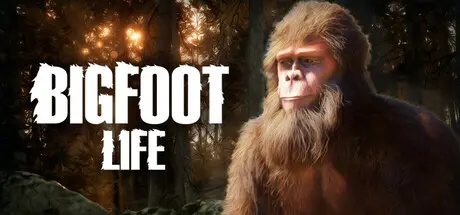
November 7, 2025Nov 7 Bigfoot Life Game DetailsRelease Name: Bigfoot LifeGame Version: v1.0.0 | Build 20564380Release Date: 3 Nov, 2025Publisher: Planet 47 GamesDeveloper: Planet 47 GamesBased On: CSF & GoldbergBigfoot Life Direct Download - Game OverviewBigfoot Life is a relaxing third-person simulation game where you live life as the legendary Bigfoot — foraging, exploring, and caring for the forest you call home.Wander through lush landscapes, fish in quiet streams, and build simple shelters to survive the changing seasons. Use your mystical powers to heal wildlife and keep balance in nature. Unlock new skills, meet other creatures, and shape your own story as the forest’s unseen guardian.Play your way across three distinct modes — Normal Mode, Survival Mode, and Free Roam Mode — each offering a different pace and challenge. Whether you want a structured journey, a gentle balance of needs, or complete freedom to explore, Bigfoot Life adapts to how you want to experience the forest.This is not a fast-paced survival or combat game — it’s a calm, exploration-driven experience about nature, discovery, and the gentle life of Bigfoot.Gameplay OverviewCreate Your Own Bigfoot – Customize your Bigfoot’s appearance before beginning your adventure.🕹 Three Play Modes –Normal Mode: Balanced gameplay with light needs and gentle progression.Survival Mode: A slightly tougher challenge with resource management and seasonal survival.Free Roam Mode: No objectives or limits — explore and relax freely.Explore & Forage – Roam a living forest filled with mushrooms, berries, and hidden secrets.Catch Fish & Gather Food – Hunt for small creatures, fish, and forage to sustain yourself and the animals around you.Build & Rest – Construct shelters to store items, sleep through the night, and prepare for winter.Unlock Bigfoot Skills – Gain abilities like heightened vision, strength, and mystical powers as you progress.Heal the Forest – Use Bigfoot’s Healing ability to help injured animals and restore balance.Dynamic Seasons & Weather – Watch the world change through vibrant day-night cycles and seasonal shifts.Peaceful Encounters – Cross paths with humans or other Bigfoot — some curious, some cautious.Relaxing, Non-Linear Play – No strict goals or combat. Explore at your own pace and live your best Bigfoot life.Bigfoot Life Screenshots Bigfoot Life TrailerBigfoot Life System RequirementsMinimum RequirementsRecommended RequirementsOS64-bit Windows 1064-bit Windows 10ProcessorIntel i5-7600K or AMD equivalentRyzen 7 3700X or Intel equivalentMemory16 GB RAM16 GB RAMGraphicsNvidia GTX 1060 / AMD RX 580Nvidia RTX 3060 / Radeon RX 6600 XTDirectXVersion 11Version 11Storage8 GB available space8 GB available spaceHow to Install Bigfoot LifeNo Installation Needed: The game is pre-installed. Just download and extract.Extract: Right-click the .zip or .rar file and select "Extract Here" or "Extract to folder".Run: Find Bigfoot_Life_Steam.exe inside the folder and run it.Game Data & SettingsChange Language: Edit the file located at steam_settings/Configs.user.iniImportant NotesTo support the Game Developer, Get It On Steam.🔥DOWNLOAD AREA🔥🔹3.53 GB🔹Select the server you want to download with ZeiLink.Download





Create an account or sign in to comment