



Skip to content
View in the app

A better way to browse. Learn more.

ZeiGames

A full-screen app on your home screen with push notifications, badges and more.

To install this app on iOS and iPadOS
  1. Tap the Share icon in Safari
  2. Scroll the menu and tap Add to Home Screen.
  3. Tap Add in the top-right corner.
To install this app on Android
  1. Tap the 3-dot menu (โ‹ฎ) in the top-right corner of the browser.
  2. Tap Add to Home screen or Install app.
  3. Confirm by tapping Install.

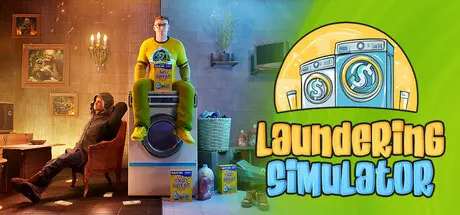
Laundering Simulator - Clean Cash and Laundry Free Download (Build 23911007)
Featured Replies

header.webp

Game Details

Release Name:ย Laundering Simulator - Clean Cash and Laundry

Game Version:ย Build 23911007

Release Date: 4 Nov, 2025

Publisher: Ritual Interactive

Developer: Ritual Interactive

Based On:ย CSF & Goldberg

Laundering Simulator - Clean Cash and Laundry Direct Download - Game Review

Run your own forgery workshop with a laundromat as its front!

Believe it or not, but Eddie Wiser is a clever manager and a brilliant inventor.
Laundering Simulator revolves around him combining his talents to start a laundering operation... for both clothes and money. And you, the Player, get to help him with his little project.

The setting of Laundering Simulator is something else!

Contend with crazy Karen customers, a criminal underworld, intrusive sponsors, government raids, and an aneurysm-inducing grandparent, just to name a few. Eddie's adventure quickly takes wild twists and turns for the pleasure of your challenge and the laughs we want it to bring you.

Both sides of the game's simulation will take solid management skills.

As a brilliant forger, you carefully operate Eddie's crazy contraptions. One wrong move and that perfect counterfeit bill is as good as toilet paper.

Produce all sorts of fakes, sell them to your fence friends, and of course use your front front to launder your illicit gains. Just make sure you don't draw too much attention. City Hall inspectors are one thing, you can hide your forgery equipment, but an FBI raid can make a mess of your backside.

But! There's a laundromat to run!

And as a laundromat owner, you have to deal with customers, set prices, supply the right washing machines and detergents, balance your costs, pay your bills. There's a lot to do while you grow your business and offer new services.


Game Screenshots

screenshot screenshot screenshot screenshot


Game Trailer


System Requirements

Minimum Requirements

Recommended Requirements

OS

Windows 10

Windows 10

Processor

Intel Core i5-7500 / AMD Ryzen 5 1500X

Intel Core i3-12100 / AMD Ryzen 5 3600

Memory

8 GB RAM

16 GB RAM

Graphics

NVIDIA GeForce GTX 1060

NVIDIA GeForce RTX 2060

DirectX

-

-

Storage

6 GB available space

6 GB available space


Installation Guide

  1. No Installation Needed: The game is pre-installed. Just download and extract.

  2. Extract: Right-click the .zip or .rar file and select "Extract Here" or "Extract to folder".

  3. Run: Find LaunderingSimulator.exe inside the folder and run it.

Game Data & Settings

  • Change Language: Edit the file located at steam_settings/Configs.user.ini

Important Notes

๐Ÿ”ฅDOWNLOAD AREA๐Ÿ”ฅ

๐Ÿ”น7.90 GB๐Ÿ”น

Select the server you want to download with ZeiLink.

Download

  • Replies 2
  • Views 3.1k
  • Created
  • Last Reply

Top Posters In This Topic

Posted Images

  • DicDale changed the title to Laundering Simulator Free Download (Build 22124744)
  • 1 month later...
  • DicDale changed the title to Laundering Simulator - Clean Cash and Laundry Free Download (Build 23911007)

Create an account or sign in to comment

Recently Browsing 0

  • No registered users viewing this page.

Account

Navigation

Search

Search

๐Ÿ”Ž Search Tip
For exact results, search using "game name" .
Without quotes, results may include unrelated titles.

Configure browser push notifications

Chrome (Android)
  1. Tap the lock icon next to the address bar.
  2. Tap Permissions โ†’ Notifications.
  3. Adjust your preference.
Chrome (Desktop)
  1. Click the padlock icon in the address bar.
  2. Select Site settings.
  3. Find Notifications and adjust your preference.