



Skip to content
View in the app

A better way to browse. Learn more.

ZeiGames

A full-screen app on your home screen with push notifications, badges and more.

To install this app on iOS and iPadOS
  1. Tap the Share icon in Safari
  2. Scroll the menu and tap Add to Home Screen.
  3. Tap Add in the top-right corner.
To install this app on Android
  1. Tap the 3-dot menu (โ‹ฎ) in the top-right corner of the browser.
  2. Tap Add to Home screen or Install app.
  3. Confirm by tapping Install.

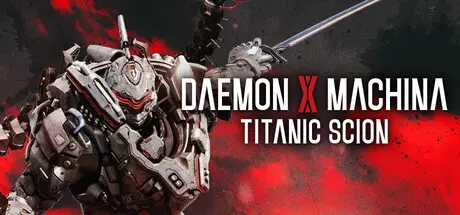
Daemon X Machina: Titanic Scion Free Download (v1.1.1 + ALL DLC + Online)
Featured Replies

header.webp

Game Details

Release Name:ย Daemon X Machina: Titanic Scion

Game Version:ย v1.1.1 | Build 20237344

Release Date: 5 Sep, 2025

Publisher: XSEED Games, Marvelous USA, Inc., Marvelous Europe

Developer: Marvelous Inc.

Based On:ย CSF & Goldberg

Daemon X Machina: Titanic Scion Direct Download - Game Review

Become the ultimate high-tech warrior in an action-packed new entry in the Daemon X Machina series. Fly into battle in your customized Arsenal, unleashing a variety of attacks tailored to your playstyle. Feel the exhilaration of fast-paced combat as you freely explore a deadly and dangerous open world on land or in the air. After taking down your foes, collect their weapons and equipment, and upgrade your skills to expand your options on the battlefield. Suit up for a dark sci-fi story where you can face the titanic boss battles alone or with up to two other players online. New and veteran Daemon X Machina players alike will find a worthy adventure in the latest from Marvelous First Studio.

Daemon X Machinaโ€™s high-octane armored action debuts on a new generation of platforms, bringing with it an epic sci-fi adventure, gameplay thatโ€™s accessible to newcomers, and an expanded scope sure to satisfy returning fans.

Cooperative multiplayer means you never truly fight alone. Team up with friends online to tackle the epic story and boss battles together.

Now a nimble suit of armor, your Arsenal can be fully customized both in design and in loadout, with the ability to craft or salvage new elements.

Explore an alien planet in your Arsenal as you battle against mechanical and organic enemies. Trek through the vast open world on foot, fly through the skies, or when all else fails, gallop on horseback across plains, swamps, mountains, and more.


Game Screenshots

screenshot screenshot screenshot screenshot


Game Trailer


System Requirements

Minimum Requirements

Recommended Requirements

OS

Windows 10

Windows 10

Processor

Intel Core i5-10400

Intel Core i7-12700

Memory

16 GB RAM

32 GB RAM

Graphics

NVIDIA GeForce GTX 1050

NVIDIA GeForce RTX 3070

DirectX

Version 12

Version 12

Storage

50 GB available space

50 GB available space


Installation Guide

  1. No Installation Needed: The game is pre-installed. Just download and extract.

  2. Extract: Right-click the .zip or .rar file and select "Extract Here" or "Extract to folder".

  3. Run: Find Game.exe inside the folder and run it.

Multiplayer & Online (Optional)

  • Play Online: Download the Online Fix file and apply it to the game folder.

  • Please go to the online fix page and read the guide.

Game Data & Settings

  • Change Language: Edit the file located at steam_settings/Configs.user.ini

  • Save Data Location: */Game/Saved/SaveGames

Important Notes

DLC List

Added DLCs

Daemon X Machina: Titanic Scion - Free Emotes

Daemon X Machina: Titanic Scion - Free Hairstyles

Daemon X Machina: Titanic Scion - Decal Set

Daemon X Machina: Titanic Scion - Vehicle Set

Daemon X Machina: Titanic Scion - Grand Entrance Set 2

Daemon X Machina: Titanic Scion - Grand Entrance Set 1

Daemon X Machina: Titanic Scion - Avatar Customization Pack 4

Daemon X Machina: Titanic Scion - Avatar Customization Pack 2

Daemon X Machina: Titanic Scion - Avatar Customization Pack 3

Daemon X Machina: Titanic Scion - Avatar Customization Pack 1

Daemon X Machina: Titanic Scion - Hairstyle Set 8

Daemon X Machina: Titanic Scion - Hairstyle Set 7

Daemon X Machina: Titanic Scion - Hairstyle Set 6

Daemon X Machina: Titanic Scion - Hairstyle Set 5

Daemon X Machina: Titanic Scion - Hairstyle Set 4

Daemon X Machina: Titanic Scion - Hairstyle Set 3

Daemon X Machina: Titanic Scion - Hairstyle Set 2

Daemon X Machina: Titanic Scion - Hairstyle Set 1

Daemon X Machina: Titanic Scion - Sovereign Axiom Outfit Set

Daemon X Machina: Titanic Scion - Reclaimers Outfit Set

Daemon X Machina: Titanic Scion - Free Iris Outfit

Daemon X Machina: Titanic Scion - Free Axiom Researcher Outfit

Daemon X Machina: Titanic Scion - Free Reclaimer Outfit

Daemon X Machina: Titanic Scion - Free Formal Suit Outfit

Daemon X Machina: Titanic Scion - Deluxe Edition Content Map

Daemon X Machina: Titanic Scion - Art Book

Daemon X Machina: Titanic Scion - Emote Set

Daemon X Machina: Titanic Scion - Arsenal Skin Set

Daemon X Machina: Titanic Scion - Special SFX Weapon Set

Daemon X Machina: Titanic Scion - Additional Hairstyle - Giant Mohawk

Daemon X Machina: Titanic Scion - Additional Hairstyle - Punk

Daemon X Machina: Titanic Scion - Bonus Item Set

Daemon X Machina: Titanic Scion - Special Equipment Set

Daemon X Machina: Titanic Scion - Additional Emote - Roar

Daemon X Machina: Titanic Scion - Additional Emote - Fist Pump

๐Ÿ”ฅDOWNLOAD AREA๐Ÿ”ฅ

๐Ÿ”น37.86 GB๐Ÿ”น

Select the server you want to download with ZeiLink.

Download

Online Fix - (RAR pass: rexagames.com)

  • DicDale changed the title to Daemon X Machina: Titanic Scion Free Download (v1.1.1 + ALL DLC + Online)

  • Views 1.5k
  • Created
  • Last Reply

Posted Images

Create an account or sign in to comment

Recently Browsing 0

  • No registered users viewing this page.

Account

Navigation

Search

Search

๐Ÿ”Ž Search Tip
For exact results, search using "game name" .
Without quotes, results may include unrelated titles.

Configure browser push notifications

Chrome (Android)
  1. Tap the lock icon next to the address bar.
  2. Tap Permissions โ†’ Notifications.
  3. Adjust your preference.
Chrome (Desktop)
  1. Click the padlock icon in the address bar.
  2. Select Site settings.
  3. Find Notifications and adjust your preference.