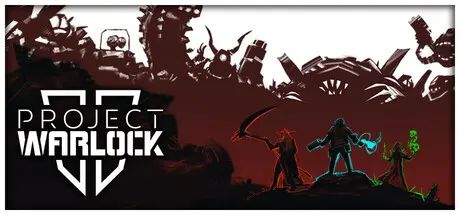
October 31, 2025Oct 31 Project Warlock II Game DetailsRelease Name: Project Warlock IIGame Version: v1.0.1.27 | Build 20403550Release Date: 28 May, 2025Publisher: RetrovibeDeveloper: Buckshot SoftwareBased On: CSF & GoldbergProject Warlock II Direct Download - Game OverviewProject Warlock II picks up right after the events of the first game. Warlock’s disciples Palmer, Urd, and Kirsten, each bring their own arsenals of skills, perks, unique weapons, and spells to the table, as well as personal reasons to confront their old master.Levels in the game evolved into vertical, three-dimensional, multi-floored structures, platforms, and buildings that literally elevate the gameplay. Each of the 3 chapters of Project Warlock II consists of 12 levels, each one more vertical and intricate than in the original game.Palmer, Urd, and Kirsten carry unique arsenals of weapons and magic skills based on their personas that enable different playstyles. Their tools of destruction can be upgraded resulting in 20+ weapons for each character.In the first chapter, don the mantle of Palmer, whose love for ice, fire, and dual guns fuels the fight against the demon hordes. Though little is known about his past, Palmer's lethal arsenal of weapons and magic makes him an unstoppable force against the endless waves of relentless Ghouls, towering Turbo Knights, flying Cacobots, and massive Pigdemons standing in his way, whether he’s raining down bullets, setting hellspawns on fire, or shattering them into pieces.Project Warlock II Screenshots Project Warlock II TrailerProject Warlock II System Requirements Minimum RequirementsRecommended Requirements OSWindows 10Windows 10 ProcessorIntel Core i5 7600K / AMD Ryzen 3 1300X or newerIntel Core i5-9600K gen / AMD Ryzen 5 2600 or newer Memory4 GB RAM8 GB RAM GraphicsGeForce GTX 960 6GB / AMD RX 570 4GB or newerGeForce GTX 1070 8GB / AMD Radeon RX 5700 8GB or newer DirectXVersion 12Version 12 Storage6 GB available space6 GB available space How to Install Project Warlock IINo Installation Needed: The game is pre-installed. Just download and extract.Extract: Right-click the .zip or .rar file and select "Extract Here" or "Extract to folder".Run: Find Project Warlock 2.exe inside the folder and run it.Game Data & SettingsChange Language: Edit the file located at steam_settings/Configs.user.iniSave Data Location: %USERPROFILE%/My Documents/Project Warlock 2/Steam Saves/Important NotesTo support the Game Developer, Get It On Steam.🔥DOWNLOAD AREA🔥🔹3.71 GB🔹Select the server you want to download with ZeiLink.Download





Create an account or sign in to comment