



Skip to content
View in the app

A better way to browse. Learn more.

ZeiGames

A full-screen app on your home screen with push notifications, badges and more.

To install this app on iOS and iPadOS
  1. Tap the Share icon in Safari
  2. Scroll the menu and tap Add to Home Screen.
  3. Tap Add in the top-right corner.
To install this app on Android
  1. Tap the 3-dot menu (โ‹ฎ) in the top-right corner of the browser.
  2. Tap Add to Home screen or Install app.
  3. Confirm by tapping Install.

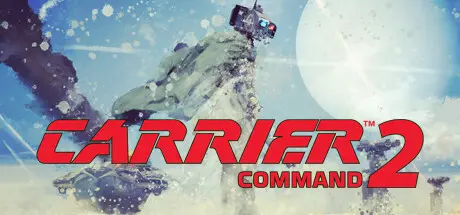
Carrier Command 2 Free Download (v1.5.17 + Online)
Featured Replies

header.webp

Game Details

Release Name:ย Carrier Command 2

Game Version:ย v1.5.17 | Build 21384296

Release Date: 10 Aug, 2021

Publisher: MicroProse Software

Developer: Geometa

Based On:ย CSF & Goldberg

Carrier Command 2 Direct Download - Game Review

Take command of a carrier and operate its systems to launch your offensive and conquer the Archipelago. Get in the shoes of an admiral and lead from the front. Gather intel from your vehiclesโ€™ radars, pick your tools of the trade, and launch your attacks where the enemy presence is thinner. The approach you take to a situation will play a big part in the outcome. Once you have taken an island you will need to exploit and defend the resources it provides. Ensuring these supply lines remain open will be key to your survival. Think ahead.

Make the most of different unit types synergies and create combined arms assaults to efficiently win battles. On top of that, get into each and every vehicle and take part in the action!

Carrier Command is an โ€™80s strategy classic well known for its unique blend of strategy and vehicle simulation. The legend is back!


Game Screenshots

screenshot screenshot screenshot screenshot


Game Trailer


System Requirements

Minimum Requirements

Recommended Requirements

OS

Windows 7 / 8 / 10

Windows 7 / 8 / 10

Processor

Intel Core i5-4440 / AMD Ryzen 3 1200

Intel Core i5-6440 / Ryzen 5 2400

Memory

4 GB RAM

8 GB RAM

Graphics

Intel HD 6000 / GeForce 550 / AMD R7 250 (AMD Radeon HD 7750)

GeForce 870 Ti / AMD RX 550

DirectX

-

-

Storage

1 GB available space

1 GB available space


Installation Guide

  1. No Installation Needed: The game is pre-installed. Just download and extract.

  2. Extract: Right-click the .zip or .rar file and select "Extract Here" or "Extract to folder".

  3. Run: Find carrier_command.exe inside the folder and run it.

Multiplayer & Online (Optional)

  • Play Online: Download the Online Fix file and apply it to the game folder.

  • Please go to the online fix page and read the guide.

Game Data & Settings

  • Change Language: Edit the file located at steam_settings/Configs.user.ini

  • Save Data Location: %USERPROFILE%/AppData/Roaming/Carrier Command 2/saved_games

Important Notes

๐Ÿ”ฅDOWNLOAD AREA๐Ÿ”ฅ

๐Ÿ”น555 MB๐Ÿ”น

Select the server you want to download with ZeiLink.

Download

Online Fix - (RAR pass: rexagames.com)

  • DicDale changed the title to Carrier Command 2 Free Download (v1.5.17 + Online)

  • Views 1.7k
  • Created
  • Last Reply

Posted Images

Create an account or sign in to comment

Recently Browsing 0

  • No registered users viewing this page.

Account

Navigation

Search

Search

๐Ÿ”Ž Search Tip
For exact results, search using "game name" .
Without quotes, results may include unrelated titles.

Configure browser push notifications

Chrome (Android)
  1. Tap the lock icon next to the address bar.
  2. Tap Permissions โ†’ Notifications.
  3. Adjust your preference.
Chrome (Desktop)
  1. Click the padlock icon in the address bar.
  2. Select Site settings.
  3. Find Notifications and adjust your preference.